
Finding the best camera for live streaming isn’t about chucking money at the most expensive kit. It’s about picking the right tool for the job—a camera that fits your content, your budget, and what you’re actually trying to achieve, whether you're gaming, chatting, or running a cam show.
For most creators dipping their toes in, a solid webcam like the Logitech Brio or even a recent smartphone is the sweet spot between decent quality and zero faff. But if you're aiming for that polished, almost cinematic look that makes viewers stop scrolling, a mirrorless camera is the undisputed champ, though it comes with a steeper learning curve and a bigger price tag.
Matching Your Camera to Your Streaming Goals
Let's be real: nobody starts streaming hoping to look like they're broadcasting from a dimly lit cave. Your camera is your audience's window into your world. Choosing the right one is the first, most crucial step towards creating a stream that looks professional enough for people to stick around and, ultimately, spend money on.
A top-tier webcam is a fantastic entry point. It's plug-and-play, discreet, and gets you live without a technical meltdown. As your channel grows, though, you’ll start hitting its limits—especially when the lights are low and the image turns into a grainy mess, instantly killing the vibe you've worked hard to build.
Investing in Your Streaming Business
Think of a camera upgrade as a direct investment in your brand. A crisp, reliable picture keeps viewers around longer, which translates to more tips, more subs, and a more loyal community. The UK's live video streaming market is absolutely flying, pulling in nearly £11 billion in 2024 and it’s only set to grow.
This boom means viewer expectations are higher than ever. A camera that makes you look good isn’t a luxury; it’s a smart business move for any serious creator. You can explore more insights on the UK streaming market to get a feel for the landscape.
To narrow it down, ask yourself what truly matters. Is it ease of use? Is it getting the absolute best image quality possible? Or is it being able to stream from anywhere? Your answer points directly to the right camera.
Key Takeaway: Choosing a camera is a business decision. It needs to fit your budget, your technical skill, and the professional image you want to project. Don't just chase specs—chase the right tool for your specific goals.
To make this even clearer, here's a quick guide to help you match your goals to the right type of gear.
Quick Camera Comparison for Different Streamer Goals
This table summarises the best camera type based on common streaming objectives, helping you quickly identify which path is right for you.
| Streamer Goal | Best Camera Type | Why It Works |
|---|---|---|
| Maximum Simplicity & Anonymity | High-End Webcam | It’s a simple plug-and-play setup. The small footprint is discreet, and you can get online fast without technical headaches. Perfect for getting started. |
| Highest Production Value | Mirrorless Camera | This delivers a cinematic, professional look with that beautiful background blur and incredible low-light performance. It's the ideal choice for standing out. |
| On-the-Go & Mobile Streaming | Modern Smartphone | The quality is surprisingly high, and the portability is unbeatable. Great for creators who stream from different locations or just want more flexibility. |
Ultimately, each camera type serves a different kind of creator. A webcam is the workhorse for straightforward, no-fuss streaming. A mirrorless camera is the artist's tool for crafting a premium look that viewers pay for. And for those who are always on the move, a smartphone is a surprisingly powerful studio that fits right in your pocket.
Webcams vs Mirrorless vs Smartphones: A Reality Check
Choosing a camera for your stream often feels like a classic tug-of-war between practicality and ambition. On one side, you've got the sensible, straightforward webcam. On the other, the alluring, cinematic quality of a mirrorless camera. And then there's the wild card: the surprisingly powerful smartphone that’s probably in your pocket right now.
Each option comes with its own compromises that go way beyond a spec sheet. It’s less about finding the single "best" camera and more about figuring out which is the best fit for your budget, your technical patience, and the exact vibe you want to create for your audience. Let’s break down the practical realities of what each means for a UK-based creator.
This graphic really simplifies the core decision, showing how your budget, desired quality, and setup simplicity are all pulling at each other.
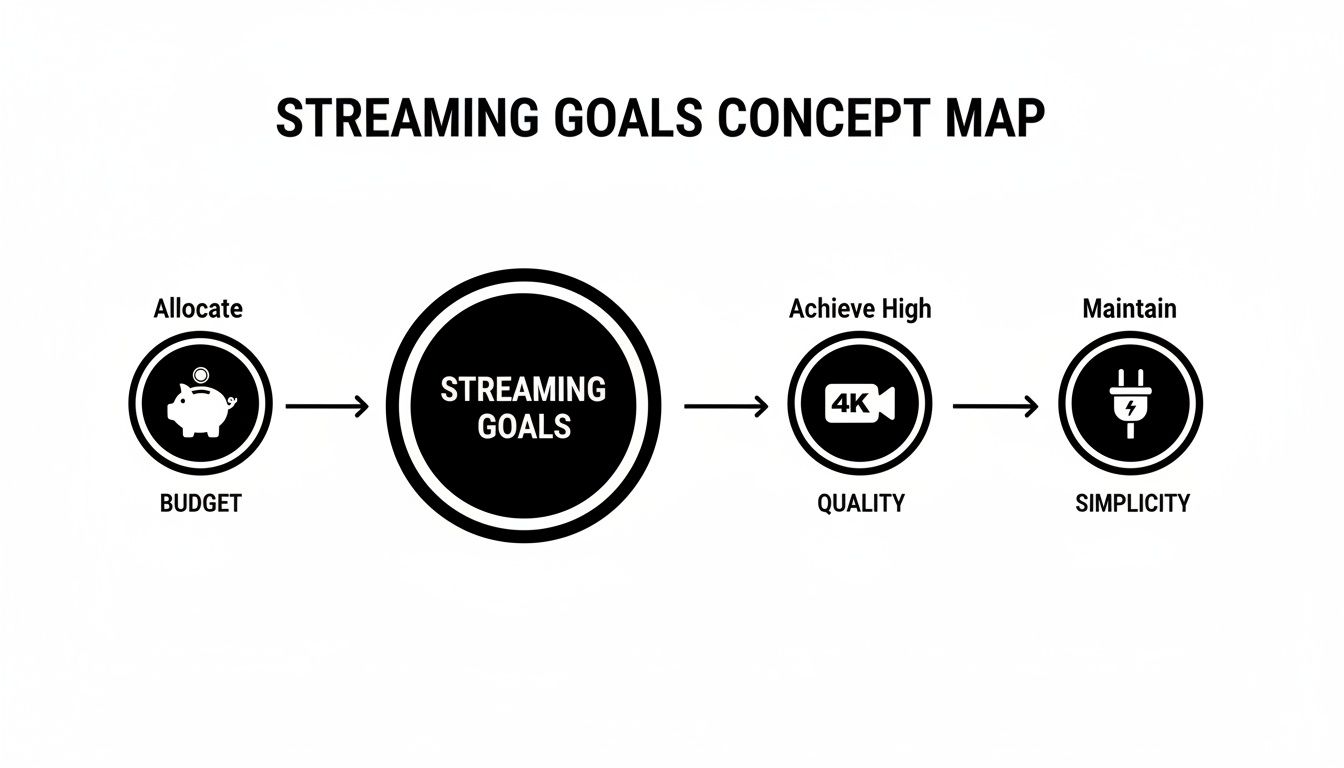
As you can see, you can't really have it all. Improving one of these usually means sacrificing another—a crucial thing to grasp when planning your setup.
The Plug-and-Play Webcam
When it comes to pure convenience, high-end webcams are the undisputed champions. You plug one into a USB port, your streaming software like OBS Studio or Streamlabs finds it instantly, and you're good to go. It’s a beautifully simple process that requires zero technical know-how.
But that simplicity has a price. Webcams have tiny sensors, which means they are notoriously shit in low light. As soon as you rely on anything other than bright, direct lighting, the image quality plummets, turning your stream into a grainy, pixelated mess. It’s the fastest way to shatter any professional illusion you’re trying to build.
The Reality Check: A webcam is the perfect starting point or a great choice if you just need a discreet, no-headache setup. But it will always be the bottleneck for your visual quality, especially if you can't perfectly control your lighting.
The Cinematic Mirrorless Camera
This is the upgrade most serious streamers eventually make. A mirrorless camera paired with a decent lens delivers a level of quality that webcams can only dream of. We're talking a crisp 4K image, beautiful background blur (that lovely bokeh effect), and outstanding performance in dim environments. It's the difference between looking like you're on a Zoom call and looking like you're in a film.
But getting that look is a project. First, there are the hidden costs. You don't just buy the camera; you’ll need a capture card to make your computer recognise it as a webcam, a dummy battery so it doesn't die mid-stream, and possibly a better lens. All of a sudden, that £600 camera becomes a £900+ investment.
Then you have the technical side. You'll need to get comfortable with manual camera settings—aperture, ISO, shutter speed—to really dial in that perfect look. It’s a genuine commitment, both financially and in the time it takes to learn.
The Agile Modern Smartphone
Never underestimate the camera you already own. Modern flagship phones from Apple, Samsung, and Google have incredible camera systems that can genuinely rival dedicated hardware, particularly in good light. Their biggest advantage? Mobility.
You can stream from anywhere in your home without being tethered to a desk. It's a fantastic option for creators who do more than just sit at a computer, or for anyone who doesn't have a permanent streaming station.
The risks, however, are very real. Smartphones aren't built for hours of continuous broadcasting. Overheating is a major issue that can cause your phone to throttle performance or just shut down. You’re also at the mercy of your Wi-Fi signal, and an incoming call or a stream of notifications can bring your broadcast to an abrupt, unprofessional end.
Detailed Feature Trade-Offs By Camera Type
To put all this into perspective, let's look at how these options stack up on the features that truly matter for live streaming. This isn't about megapixels; it's about the practical experience of going live.
| Feature | High-End Webcam | Mirrorless Camera | Modern Smartphone |
|---|---|---|---|
| Setup Simplicity | Excellent (Plug & Play) | Poor (Requires multiple accessories and technical setup) | Good (Requires an app and a reliable mount/tripod) |
| Low-Light Performance | Poor to Fair (Often grainy without bright lighting) | Excellent (Large sensors capture clean images in dim light) | Good (Impressive for its size, but can't beat a mirrorless) |
| Creative Control | Minimal (Limited to software adjustments) | Full (Manual control over lens, aperture, focus, etc.) | Limited (Some manual control via apps, but restricted) |
| Reliability | Excellent (Designed for long, stable sessions) | Good (Requires a stable setup with a dummy battery) | Fair (Prone to overheating, notifications, and battery drain) |
| Total Cost | Low (£100 – £200) | High (£600 – £1500+ for a full kit) | Very Low (You likely already own one) |
Ultimately, the best camera for your live stream depends entirely on where you are in your creator journey. A webcam gets you in the game, a smartphone gives you freedom, and a mirrorless camera lets you compete at the highest level—as long as you're prepared for the investment in both money and time.
Essential Camera Features That Actually Matter
When you start comparing cameras, it's easy to get lost in a sea of marketing jargon and specs that sound impressive but mean sod all in the real world. Let's cut through the noise and focus on the handful of features that will genuinely make or break your stream's quality and your workflow. Getting these right is far more important than chasing the highest megapixel count.
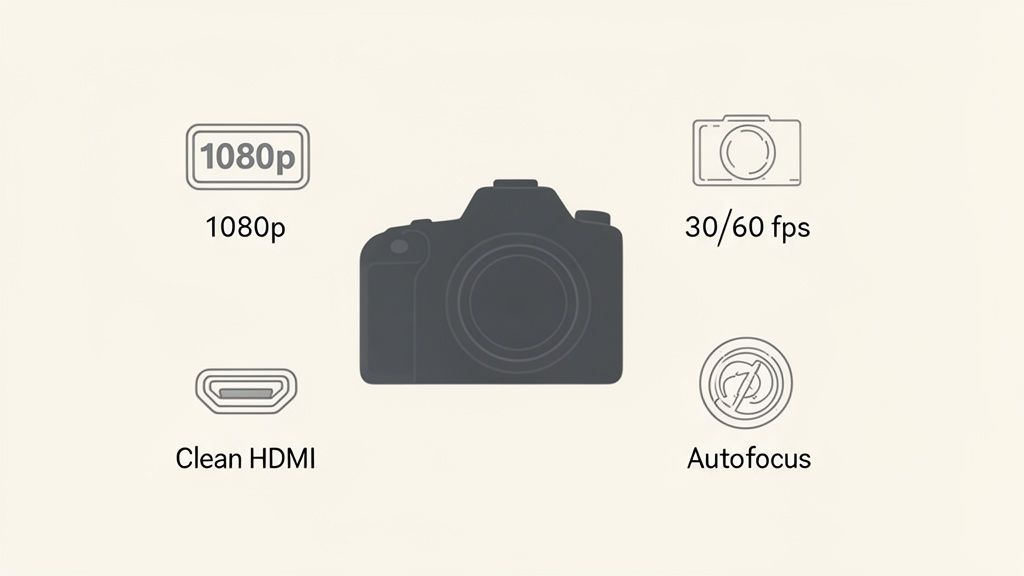
Think of this as your practical checklist. If a camera nails these core elements, it's a solid contender for your live streaming setup, regardless of its price tag.
Resolution: Why 1080p Is Your Sweet Spot
First up is resolution. While manufacturers are aggressively pushing 4K as the new standard, the reality for most live streamers—especially in the UK—is that 1080p is not just good enough; it's often the smarter choice.
A crisp, stable 1080p (Full HD) stream demands significantly less internet upload speed than a 4K one. This means your broadcast is far less likely to buffer or drop in quality for viewers with average broadband. Honestly, for the vast majority of your audience watching on phones, tablets, or even standard monitors, a well-lit 1080p stream looks fantastic and professional.
It's better to invest in a camera that delivers an excellent 1080p image than to stretch your budget for a 4K model you might never fully use. You'll get a more reliable and accessible experience for everyone involved.
Frame Rate: 30fps vs. 60fps
Frame rate, measured in frames per second (fps), dictates how smooth the motion in your video looks. You'll generally be choosing between two main standards: 30fps and 60fps.
- 30fps: This is the standard for most broadcast television and online video. It provides a clean, natural look that is perfectly fine for the majority of streaming scenarios, especially if your content is mostly you sitting and talking to the camera.
- 60fps: This captures twice as much visual information, resulting in incredibly smooth, fluid motion. It’s brilliant for high-energy content like gaming, dancing, or fitness streams, where fast movements need to look sharp and clear.
While 60fps is a fantastic feature, it also puts more strain on your computer and internet connection. If you have to choose, always prioritise a stable 1080p stream at 30fps over a choppy, stuttering 60fps one.
The Non-Negotiable: Clean HDMI Out
If you’re serious about using a mirrorless or DSLR camera for streaming, this feature is absolutely critical. Clean HDMI Out means the camera can send a pure video signal—without any of the on-screen clutter like battery life, focus boxes, or settings menus—to your capture card.
Without it, your viewers will see all that distracting information plastered over your stream, which looks incredibly amateurish and instantly signals you don't know what you're doing.
Crucial Tip: Before you buy any mirrorless camera for streaming, double-check that it offers a clean HDMI output. Some entry-level models don't, which makes them completely unsuitable for a professional live setup. This single feature can be the deal-breaker.
Autofocus and Sensor Size
Finally, let's talk about two features that directly affect how sharp you look on camera, especially in typical indoor lighting.
Autofocus (AF): Nothing kills the vibe of a stream faster than a camera that’s constantly hunting for focus, blurring in and out. You need a camera with reliable face and eye-tracking autofocus. This ensures that no matter how much you move around, the focus stays locked onto you, keeping your image consistently sharp. A sluggish AF system is a constant headache for you and a major distraction for your audience.
Sensor Size: In simple terms, a bigger sensor gathers more light. This is why a mirrorless camera with a large sensor (like an APS-C or Full-Frame) will produce a much cleaner, brighter, and more detailed image in a dimly lit bedroom than a webcam with its tiny sensor ever could. A larger sensor is your best weapon against grainy, low-quality video in less-than-perfect lighting. It's the secret sauce behind that professional, cinematic look.
Why 4K Might Be Overkill for Your UK Audience
It’s easy to get fixated on the numbers. 4K sounds impressive, doesn't it? It suggests a level of professionalism that’s a cut above the rest. But before you go all-in on a top-of-the-range camera, let's have a frank chat about the reality of streaming to a UK audience. The truth is, pushing a 4K stream could actually be hurting your channel.
The problem isn’t your camera; it's the internet pipes connecting you to your viewers. While UK broadband has definitely improved, it's still notoriously patchy. Someone in central London with fibre has a completely different online world to a viewer in a rural village still battling with old copper wires. Pushing a massive 4K video stream, which can demand an upload speed of 15-20 Mbps or more, is a huge ask for many.
When you try to force that much data down a weak connection, you get buffering, stuttering, and dropped frames. Your viewer doesn't see a stunning, ultra-HD image; they see a loading spinner. And in live streaming, a frustrated click away is a lost subscriber.
Finding the 1080p Sweet Spot
The smart play is to aim for the sweet spot: a crisp, reliable 1080p stream at a sensible bitrate. There's a reason this is the gold standard. It looks fantastic on nearly every device your audience uses—from their smartphone to a laptop screen—and it's far kinder to their internet connection.
By targeting a bitrate of around 4-6 Mbps, you're creating a broadcast that is both high-quality and widely accessible. This ensures a smooth, uninterrupted experience for the vast majority of your viewers, which is what keeps them watching and engaged.
A stable 1080p stream will always beat a buffering 4K stream. Your audience values reliability far more than a resolution they probably can't even notice on their screen.
This strategic choice completely changes how you shop for a camera. Instead of hunting for a 4K logo, you should be looking for a camera that produces a phenomenal 1080p image. Prioritise things like great colour science, dependable autofocus, and strong low-light performance—these are the features that will truly boost your perceived quality.
Platform Algorithms Reward Stability
It’s not just about keeping your viewers happy, either. Major platforms like YouTube and Twitch have algorithms that are constantly monitoring the health of your stream, and they really value stability.
A broadcast that consistently delivers a smooth feed without dropping frames is seen as high-quality and reliable. Because of this, the platform is more likely to recommend your content to new viewers. On the flip side, a flaky, high-bitrate stream that’s constantly struggling is a red flag, and the algorithm is less likely to push content that gives people a poor experience.
Even with the UK's high adoption of streaming services, the underlying infrastructure still sets the rules. By 2025, an estimated 85% of UK households will use a streaming video-on-demand service, but that doesn’t erase the regional broadband lottery. Targeting a pristine 1080p stream is a practical decision that balances quality with the technical reality your audience faces. You can learn more about UK digital entertainment market trends if you want to dig deeper.
Ultimately, by choosing to optimise for 1080p, you’re not just being practical; you’re playing the game smarter. You’re delivering a better experience, keeping your audience hooked, and signalling to the platform algorithms that your channel is a professional and reliable place to be.
Building a Killer Setup Around Your Camera
A brilliant camera is a fantastic start, but it's only one piece of the puzzle. Think of it as the engine of a car; it's powerful, but without the wheels, chassis, and steering, you're not going anywhere. The gear you build around your camera is what will truly make or break your stream, transforming a decent image into a professional broadcast that keeps viewers hooked.
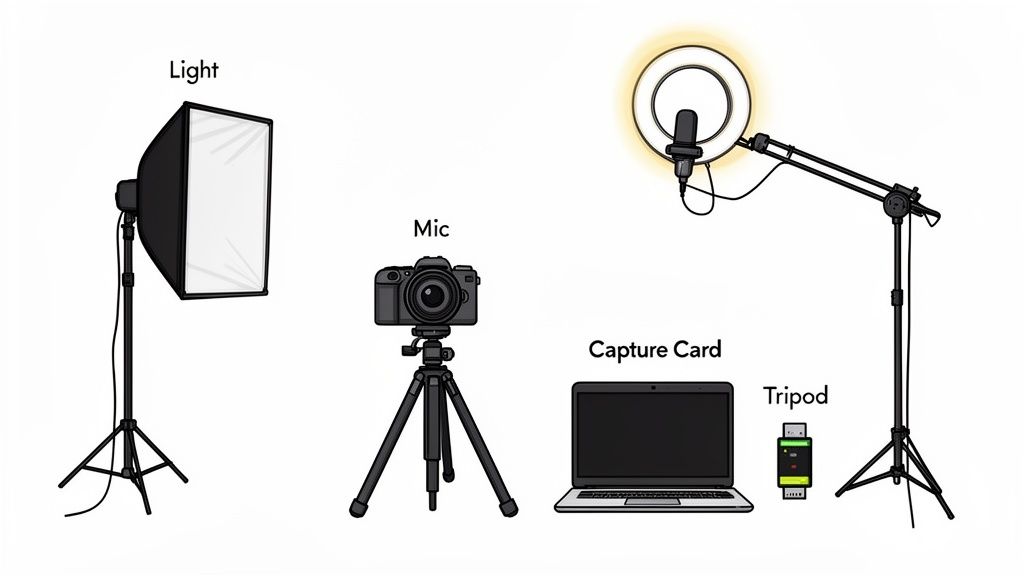
This is where you get the biggest bang for your buck. Smart, strategic investments in lighting and audio can make a £200 webcam look better than a £1,000 mirrorless camera sitting in a poorly lit, echoey room. Let's get into the practical bits and pieces that will elevate your entire setup.
Lighting: The Secret to a Professional Look
If there’s one thing that separates amateur streams from the pros, it’s lighting. Good lighting makes you look sharper, adds depth to your scene, and helps your camera perform at its best—even if it's a budget model. You don't need a Hollywood-tier budget, either. A simple three-point lighting setup is the gold standard for a reason.
- Key Light: This is your main, brightest light. Position it about 45 degrees to one side of you and slightly above eye level. It's the primary source of illumination on your face.
- Fill Light: This is a softer, less intense light placed on the opposite side of the key light. Its job is to "fill in" the shadows, preventing one side of your face from looking too dark and dramatic.
- Backlight (or Hair Light): Placed behind you and often above, this light separates you from your background. It creates a subtle outline around your shoulders and hair, adding a sense of depth and stopping you from looking like a flat cardboard cutout.
Even a basic ring light can serve as a decent key light. The goal is always soft, diffused light—harsh, direct light creates unflattering shadows and can make you look tired.
Audio: Your Most Important Investment
Here’s a hard truth: viewers will forgive a slightly grainy video, but they will click away from bad audio in a heartbeat. Crackling, echoing, or muffled sound is incredibly grating and makes your stream feel cheap. This is why a dedicated microphone is almost always a better first investment than upgrading your camera from 1080p to 4K.
The built-in microphone on your camera or laptop is designed to pick up everything in the room, which is exactly what you don't want. A dedicated USB microphone is the easiest and most effective upgrade.
- Condenser Mics: These are great for studio-like environments where you can control background noise. They capture rich, detailed sound and are perfect for voice.
- Dynamic Mics: These are better at isolating your voice and rejecting background noise, making them a solid choice if your streaming space isn't perfectly quiet.
The Golden Rule of Streaming: Your stream is only as good as your audio. A £50 USB microphone will improve your perceived production quality more than a £500 camera lens. It's the single most impactful upgrade you can make.
Essential Hardware to Connect Everything
Once you have your camera, lights, and mic, you need to tie them all together. This is where the less glamorous but absolutely essential hardware comes into play.
- Tripod or Mount: Don't balance your camera on a stack of books. A sturdy tripod or a desk-mounted arm gives you a stable, consistent shot and allows you to position your camera at the most flattering angle.
- Capture Card: If you're using a mirrorless camera or camcorder, this is non-negotiable. It's a small device that takes the HDMI video signal from your camera and translates it into a format your computer can recognise as a webcam feed.
- Cables and Power: For a mirrorless camera, a dummy battery is a lifesaver. It replaces your standard battery and plugs directly into the mains, ensuring your camera never dies mid-stream. Reliable HDMI and USB cables are also a must.
Building a complete setup takes a bit of planning, but it doesn't have to break the bank. By prioritising good lighting and clear audio, you ensure the best camera for live streaming you can afford is able to perform to its full potential. For more guidance on the realities of setting up, you can find a wealth of information from resources like Girls On Cam, which focuses on the practical and safety aspects of streaming.
Protecting Your Privacy with the Right Camera Choice
When you're picking a camera for streaming, you're probably thinking about image quality, frame rates, and lenses. But here's something that often gets overlooked: your camera choice is a massive decision for your personal security. Every device you hook up to the internet is a potential backdoor, and a camera is a literal window into your private space.
This is especially true for so-called “smart” webcams and IP cameras. Their biggest selling point—always-on network connectivity—is also their biggest vulnerability. A poorly secured, internet-facing camera can be accessed by anyone with a bit of technical skill, turning your stream setup into a serious liability. If you must use one, changing the default password and shutting down any remote-access features you don't need is non-negotiable.
Hardwiring Your Privacy
This is where a mirrorless camera gives you a huge advantage. It's an inherently more secure system because it’s a closed circuit. The camera is only ever "live" when you physically connect it via a capture card to your computer.
The moment you unplug that USB or HDMI cable, the connection is gone. Completely severed. There’s no Wi-Fi or lingering network interface for someone to exploit. It's a simple, physical air gap that leaves you in total control.
For any creator who takes their privacy seriously, this physical disconnect is a game-changer. A mirrorless camera can't be quietly switched on by some creep over the internet. That's a level of security a network-connected device just can't promise.
Common-Sense Security Checklist
No matter which camera you go with, securing the hardware is only half the battle. You have to be just as careful about what your camera actually sees. A little situational awareness goes a long way.
-
Mind Your Background: Get into the habit of being ruthless about what's visible behind you. Are there personal letters on your desk? Family photos on the wall? Any unique art or posters that could be used to identify you? A clean, neutral backdrop or a virtual background is always the safer play.
-
Check Your Angles: Think about what your camera angles reveal. Can someone figure out the layout of your home? Do you have windows in the shot that show identifiable landmarks outside? Details that seem completely insignificant to you can be puzzle pieces for someone determined to find out where you live.
-
Beware of Your Smartphone: Streaming directly from your personal phone is incredibly convenient, but it's riddled with risks. It’s easy for accidental notifications to pop up on screen, flashing names, app data, or private messages to your entire audience. Even worse, location data (EXIF) can be embedded in video files, leaving a digital trail that could lead right back to you.
Got Questions About Your Streaming Camera?
We’ve seen these questions pop up time and time again from creators trying to navigate the maze of gear recommendations and tech specs. Let's cut through the noise and give you some straightforward answers.
Do I Genuinely Need a 4K Camera to Stream?
For the vast majority of streamers, the simple answer is no. While 4K sounds great on paper, a rock-solid 1080p stream running at 60fps is what really matters for your audience. It delivers that super-smooth viewing experience most people expect, and it’s far more forgiving on both your and your viewers' internet connections.
Before you even think about splashing out on 4K, nail your lighting and audio. Those two elements will elevate your stream's quality far more dramatically than a resolution bump ever could. Remember, platforms like Twitch and YouTube are optimised for stable 1080p content; that's the professional standard your viewers are used to.
What on Earth Is a Capture Card and Is It a Must-Have?
Think of a capture card as a translator. It’s a small piece of hardware that takes the high-quality video signal from a proper camera—like a mirrorless or DSLR—and converts it into a format your computer can understand, essentially making it work like a plug-and-play webcam.
So, do you need one? If you're moving beyond a basic USB webcam and want to use a more powerful camera with an HDMI output, then yes, a capture card is almost always essential. It's the key to unlocking that clean, professional video feed you see from top-tier streamers and sending it straight into your broadcasting software.
Can I Get Away With Just Using My iPhone or Android?
You absolutely can, and for many people, it's a brilliant starting point. The cameras on modern smartphones are genuinely impressive and can produce a fantastic-looking stream, particularly if you’re just getting started or need a setup you can take on the road.
But there are trade-offs to consider. Phones weren't built for long, continuous broadcasts. Overheating is a real issue that can cause performance throttling or even shut down your stream. You'll also be battling battery drain and the constant risk of an incoming call or a flurry of notifications derailing your live broadcast. A phone is great in a pinch, but a dedicated camera gives you the reliability and control you'll need for serious, long-form streaming.