
When it comes to identity protection for streamers, the goal is to build a rock-solid, deliberate wall between your public persona and your private life. This is about so much more than just picking a cool screen name; it's a complete strategy for controlling every shred of information you put out there, from the posters on your wall to the way you handle your tokens.
Think of it as building a professional boundary. This is what allows you to genuinely connect with your audience without accidentally putting your personal life at risk.
Why Your Privacy Is Your Most Valuable Asset
Let’s be crystal clear: as a streamer, especially in the adult space, your personality is your brand. It’s your wit, your charm, and the unique way you engage with people that keeps them coming back and hitting that tip button. But your real name, where you live, and the details of your private life? That’s strictly off-limits. Protecting your anonymity isn’t being paranoid; it’s just good business sense.
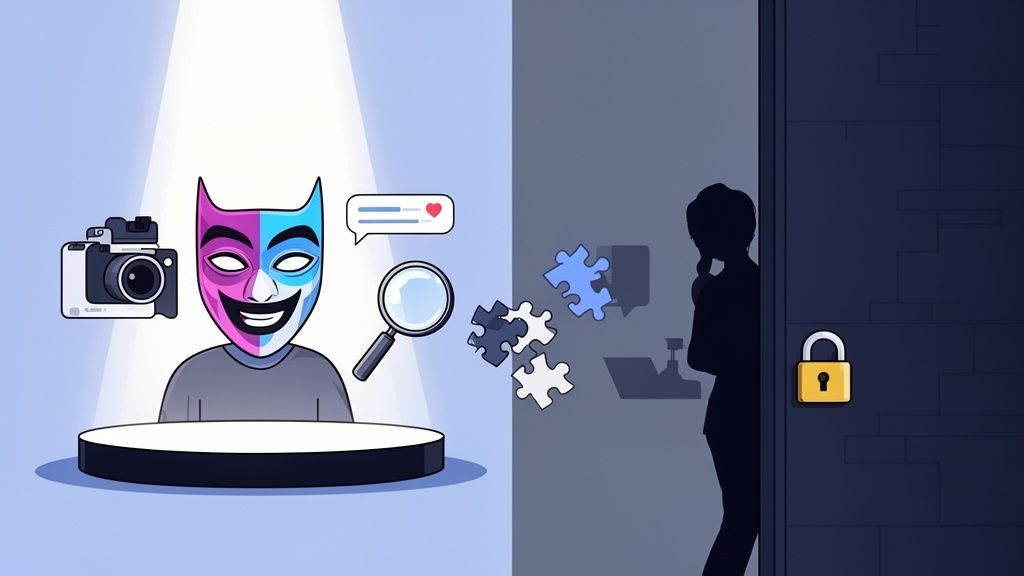
This forward-thinking approach has a name: "threat modelling." It might sound like something from a spy thriller, but the idea is simple. You just need to figure out what you need to protect and who you're protecting it from.
Understanding Your Risks
For most streamers, the threats aren't shadowy government agents. They're usually a lot more ordinary, but they can be just as destructive. Your risks generally boil down to a few types of people:
- The Overly Curious Fan: This is the person who gets a little too invested and starts connecting the dots from clues you unintentionally drop. The name of your favourite local coffee shop, your pet's name, a glimpse of a street sign out your window—these things seem harmless on their own, but someone can piece them together to build a surprisingly detailed picture of you.
- The Malicious Actor: This is someone who is actively trying to hurt you. They might be digging for your details to harass you, blackmail you, or even swat you. They are hunting for any slip-up they can exploit.
- The Opportunistic Scammer: These people don't care about you personally; they just want your data for a quick payday. Identity fraud is a huge problem in the UK, with nearly 2 million Brits falling victim in 2023 alone. As a webcam performer, you're a prime target for fraudsters who can use the digital breadcrumbs you leave behind.
The real trick is to change your thinking from "it'll probably never happen to me" to "here's how I'll make sure it doesn't." Every single successful streamer has a plan for this.
Your public persona is a performance. It can be 99% authentic, but that last 1%—your real name, your location, your private life—is your firewall. Never let the performance bleed into reality.
This isn't just about using tech like VPNs; it’s a discipline. It's about consciously curating every bit of information you broadcast. Our in-depth guide on improving your webcam privacy walks you through the essential steps to lock down your streaming setup before you even think about going live.
Remember, a tiny detail you overlook, like a university diploma on the wall or a reflection in your glasses, can be the one thread that unravels your entire private life. Your privacy is your most valuable asset—start treating it that way.
Building Your Digital Fortress: Nailing Account Security
Let's get one thing straight: "use a strong password" is tired advice. It’s the absolute bare minimum, like remembering to lock your front door. To genuinely protect yourself as a streamer, you need to think less like a homeowner and more like a security architect building a vault. This is where we construct the digital walls that separate your streamer persona from your real life, making sure there are absolutely no back doors.
The first, non-negotiable step is to create a brand-new email address exclusively for your streaming career. This isn't your old gamer_boy_99@hotmail.com account. This email must have zero connection to your real name, your personal accounts, or any past online activity. Think of it as your business address; it's clean, professional, and entirely separate from your home life. This is the email you’ll use for everything—your streaming platform, your social media handles, and your payment processors.
The Power of Compartmentalisation
What we're doing here is called compartmentalisation. The whole point is to ensure that if one of your accounts gets compromised, the breach is contained. It can't spread to your personal life. It's like having watertight bulkheads on a ship; one leak won't sink the entire vessel.
Your compartmentalisation checklist should look something like this:
- A dedicated "streamer" email: For an extra layer of privacy, consider using a service like ProtonMail or Tutanota.
- Unique social media handles: Don't just tack
_tvonto your personal Instagram handle. That's a breadcrumb. Create entirely new profiles linked only to your new streamer email. - A password manager is essential: Get yourself a proper password manager like 1Password or Bitwarden. They generate and store unique, gibberish passwords for every single site. This means a breach on one platform doesn’t hand attackers the keys to your entire kingdom.
I know, it feels like a lot of hassle upfront. But trust me, this separation is the absolute bedrock of your entire security setup.
Before you go any further, let's run through a quick checklist to make sure you've got these fundamentals locked down. It’s easy to miss a step when you’re eager to get started, so use this table as your go-to reference.
Your Essential Account Security Checklist
| Security Layer | What It Is | Why It Matters for Streamers |
|---|---|---|
| Dedicated Email | A brand new email address, used only for streaming-related activities. | Isolates your streamer identity. If this email is ever compromised, it doesn't lead back to your personal life, banking, or family. |
| Password Manager | A tool that creates and stores strong, unique passwords for all your accounts. | Eliminates the risk of "credential stuffing," where a leaked password from one site is used to hack your other accounts. It’s a game-changer. |
| App-Based 2FA | Two-factor authentication using an app like Google Authenticator or Authy. | The digital deadbolt. Even if someone steals your password, they can't log in without the code from your phone, stopping them in their tracks. |
Getting these three things right from day one will save you from countless headaches down the road. It’s the foundation you build everything else on.
Two-Factor Authentication Is Not Optional
Once you have unique passwords for everything, the next layer is two-factor authentication (2FA). This is your digital deadbolt. Even if a bad actor somehow gets your password, they can't get into your account without that second piece of information—usually a time-sensitive code from an app on your phone.
A word of warning: Avoid using SMS-based 2FA whenever you can. Hackers can use an attack called 'SIM swapping', where they trick your mobile provider into transferring your phone number to their device. Suddenly, they're getting your security codes. Always, always opt for an authenticator app like Google Authenticator or Authy.
The urgency here is real. Account takeovers are rampant, with attacks targeting UK streamers skyrocketing by 155% in 2023 as criminals hijack popular profiles for payouts and data theft. Research also shows that a staggering 60% of data breaches can be traced back to stolen credentials, a risk made infinitely worse by password reuse. This detailed research on global identity fraud trends shows just how sophisticated these threats have become. Making 2FA mandatory on every single account—from your cam platform to your new email—is your single most effective defence.
Navigating Platform Verification Safely
Now for a tricky one: you need to prove who you are to get paid, but you also need to protect that same identity. Platforms require your ID for age verification and tax purposes—in the UK, this is a legal requirement under KYC/AML (Know Your Customer/Anti-Money Laundering) laws. So, how do you comply without leaking your personal data?
First, only ever use reputable platforms with clear, transparent privacy policies that explain exactly how your data is stored and protected. Never, ever send ID documents via email or a direct message. Always use the platform's official, secure upload portal.
Here's a pro tip: before uploading, you can use a simple image editor to add a watermark. Something like, "For verification on [Platform Name] only." While this won't stop a determined data thief in a major breach, it can deter casual misuse and helps trace the source if your document ever leaks online.
The goal is to provide the minimum required information through the most secure channel available. You're confirming your compliance without needlessly exposing your most sensitive documents. It's this combination of compartmentalisation, strong credentials, and careful verification that builds a true fortress around your digital identity, letting you focus on creating amazing content, not worrying about a breach.
Mastering On-Stream Operational Security
Account security is the digital fortress you build around your online life, but operational security—or 'OpSec'—is how you behave inside its walls. It’s the conscious, moment-to-moment discipline you practice every time you hit that 'go live' button.
Think of it this way: your stream is the single biggest potential source of information leaks. This isn't about fancy software; it’s about habits. A single slip-up on stream can give away far more than a weak password ever could.

Treat your streaming space like a stage set. Nothing should be on that stage by accident. That cool poster in the background? A determined viewer can use Google Lens to find the artist, which might lead them to an old forum post you made years ago. The window behind you? It reveals the weather, the time of day, and even architectural clues about your local area. Reflections in your glasses, picture frames, or even a shiny mug can show what’s on your monitor.
The goal is to curate a neutral, almost sterile environment that reveals absolutely nothing about your real-world life.
Curating Your Visuals and Audio
Your face and voice are your brand, but they are also biometric data. The rise of deepfake technology, which has surged by an alarming 118% in the UK from 2023 to 2024, turns these assets into potential liabilities. For creators on platforms like those covered by Girls On Cam, this isn't some distant sci-fi threat; it's a real and present danger. Malicious actors can clone your voice or face to create fraudulent content, making proactive defence essential. You can discover more about this alarming trend in identity fraud to get a handle on the full scope of the problem.
This is where a deliberate persona comes into play. It’s not about being fake; it’s about creating a character that feels authentic to your brand but is distinctly separate from your private self.
- Your Background Is a Liability: Never stream from a room filled with personal items. Your best bet is to use a green screen with a virtual background or set up in front of a completely neutral, undecorated wall. A dedicated streaming corner is a smart investment.
- Your Voice Can Be a Clue: While most streamers use their natural voice, it’s worth knowing that voice changers exist. More importantly, be acutely aware of your accent and regional phrases. If you’re trying to obscure your location, dropping local slang is a dead giveaway.
- Your Persona Is Your Shield: Your streaming persona can have different hobbies, favourite foods, and life stories. This gives you an endless well of things to talk about without ever dipping into your real personal life. Think of it as a creative exercise in world-building that doubles as a powerful security measure.
A common mistake I see is thinking small details don’t matter. A parcel with a visible label, a university textbook on a shelf, or a takeaway bag from a local restaurant are all puzzle pieces. A dedicated viewer with enough time can assemble those pieces into a complete picture of you.
The Small Talk Trap
Honestly, the biggest OpSec challenge isn't technical; it's social. Building a community means engaging with your viewers, which naturally involves a lot of casual conversation. This is what I call the 'small talk trap', where you can accidentally give away critical information just by being friendly and relatable.
It's natural to want to connect, but you have to train yourself to recognise and deflect probing questions—even the innocent-sounding ones. Someone asking about your weekend plans might just be making conversation, but answering "I'm excited to go to that new café in Brighton" has just narrowed down your location significantly.
Here’s a simple framework for handling it:
| Question Type | The Risk | How to Respond |
|---|---|---|
| "What did you do today?" | Reveals routine, location, local businesses. | Keep it generic and persona-focused: "Oh, just prepping for the stream and re-watching Blade Runner for the tenth time." |
| "What's your pet's name?" | Pet names are common security question answers. | Give your persona a pet with a different name, or just say you have a goldfish named Dave. Keep it simple and fictional. |
| "Where did you go to uni?" | Directly links your persona to a real-world institution and location. | "I majored in theoretical nonsense at the University of Life, and I'm still paying off the student loans!" Use humour to deflect. |
Mastering on-stream OpSec is a continuous process. Before every single stream, do a quick check of your environment. What’s visible? What’s audible? What topics are off-limits today? This constant vigilance is the core of professional identity protection for streamers and ensures your private life stays exactly that—private.
Securing Your Tech and Internet Connection
Your carefully built online persona is only as secure as the technology it runs on. For streamers, this means locking down your hardware and your internet connection. Getting the technical side of identity protection for streamers right isn't about becoming a coding genius; it's about making a few smart choices to plug the most obvious security gaps.
Let's talk about the biggest one: your IP address. Think of it as a digital postcode for your internet connection, pointing straight to your general location. Streaming without hiding it is like leaving your front door wide open for anyone to peek inside. This is why a good, paid Virtual Private Network (VPN) is absolutely non-negotiable.
A VPN works by scrambling your internet traffic and sending it through a server somewhere else, hiding your real IP address behind a fake one. This simple step stops doxxers from figuring out what city you're in and prevents your internet provider from keeping a log of every website you visit. Steer clear of free VPNs – they're often slow, unreliable, and have a nasty habit of selling your data, which completely defeats the point. Investing in a quality service is a core cost of doing business safely as a creator.
Create a Digital Clean Room
One of the biggest risks you face is cross-contamination. Using the same laptop for your personal banking, family photos, and your adult streaming work is just asking for trouble. A single piece of malware or one hacked account could unravel your entire private life. The answer is compartmentalisation—keeping your streaming world completely separate from your personal one.
This doesn't mean you need to rush out and buy a second top-of-the-line gaming rig. You’ve got a couple of very practical options:
- A Dedicated Device: The gold standard is having a separate, even budget-friendly, laptop that you only use for streaming. It never gets logged into your personal email, social media, or bank accounts. This is your "work computer," and it creates a solid wall between your two identities.
- A Separate User Profile: If another device isn't on the cards right now, the next best thing is to create a separate user profile on your main computer. Make sure you only install your streaming software, browser, and other tools on this specific profile. It isn't quite as bulletproof as a separate machine, but it’s a massive improvement over jumbling everything together.
The goal is to build a digital "clean room." Anything that enters this space—software, browser extensions, logins—is vetted and exists solely for your streaming persona. Nothing from your personal life ever crosses the threshold.
This separation ensures that if something goes wrong with your streaming setup, it can't spill over and compromise your personal files, and vice versa. It’s a simple concept that drastically shrinks your potential weak spots.
Keep Your Digital House in Order
Finally, a huge part of good tech security is just basic housekeeping. I know it's boring, but it's so important. Software updates almost always include crucial fixes for security flaws that hackers are actively looking to exploit. Running out-of-date streaming software, a browser, or an operating system is like leaving a window unlocked for them.
Get into the habit of regularly checking your software and app permissions. Does that new browser extension really need access to your microphone and location data? Almost certainly not. Be ruthless and revoke any permissions that aren't absolutely necessary. For a more detailed look at what to look for, our specialised guide on selecting a VPN for adult creators breaks down the specific features that matter most.
Learning to spot the signs of a compromised device is also a vital skill. Is your webcam light flicking on by itself? Are you seeing strange pop-ups or is your system suddenly grinding to a halt? Trust your instincts. If something feels off, look into it immediately. These simple tech habits are what keep your digital fortress secure from the ground up.
What to Do When You’re Doxxed or Harassed
Even with the best security in the world, the human element is always the biggest variable. Doxxing and harassment can still happen, and when they do, panic is your worst enemy. The key to getting through it is having a clear, pre-planned response to regain control and minimise the damage.
Think of this as the emergency plan you hope you never have to use.
The second you realise your private information has been shared, your absolute first priority is to document everything. Don't get drawn into arguments, don't try to reason with them, and whatever you do, don't delete their posts. Instead, take high-resolution, time-stamped screenshots of every single threat, every post containing your details, and every abusive comment. This evidence is gold for platform reports and any legal action you might take later.
Taking Immediate Control
Once you've captured the evidence of the initial attack, the goal is to stop the bleeding. What you do in the first hour can make a huge difference in how far the doxxing spreads. It's like putting your digital life on lockdown, starting with the most public platforms and working your way in.
This means you need to be quick and decisive in reporting the abuse wherever it appears. A great tip is to familiarise yourself with the reporting tools for harassment on your main platforms before you ever need them. Knowing where to go and what to click when you're stressed is a massive advantage.
After that initial technical response, you can start securing your world, both online and off.
- Platform Reports: Use the screenshots you gathered to file detailed reports with each platform's trust and safety team. Be specific and point to the exact rules that have been broken.
- Contacting the Police (If Necessary): If the harassment escalates to include credible threats of violence, blackmail, or stalking, you should contact the police. In the UK, you can report it online or by calling 101. Give them all the evidence you’ve collected.
- Social Media Lockdown: Immediately switch all of your personal social media accounts to private. It’s also wise to ask close friends and family to do the same. Go through your old posts and scrub any identifying details you might have missed.
Your gut reaction might be to delete everything and just disappear. Don't. Preserving the evidence is your most powerful weapon. Screenshot first, report second, and lock everything down third.
When you're hit with a doxxing attack, every second counts. This table outlines the immediate steps you should take to mitigate the damage as quickly as possible.
Immediate Doxxing Response Plan
| Action Step | Immediate Priority | Long-Term Follow-up |
|---|---|---|
| Screenshot Everything | Take high-res, time-stamped screenshots of all posts, threats, and comments. | Organise evidence into a secure folder, backing it up offline. |
| Report to Platforms | Use the platform's specific reporting tools for harassment and private information sharing. | Follow up on report tickets and escalate if no action is taken. |
| Lock Down Accounts | Set all personal social media profiles to the highest privacy setting. | Perform a full privacy audit on all accounts, removing old tags and posts. |
| Inform Your Network | Alert close friends and family, instructing them not to engage and to secure their profiles. | Check in with them periodically to ensure they haven't been targeted. |
| Assess Threats | If threats are credible (violence, stalking), contact local police immediately. | Obtain a case number and maintain contact with the assigned officer. |
Following a clear plan like this helps you stay focused and act effectively, even when you're under immense stress.
Protecting Your Support Network
One of the cruellest tactics harassers use is targeting the people you care about to cause you more pain. It is absolutely vital that you warn your family and friends that they might be contacted or that their information could be exposed.
Give them simple, clear instructions: don't engage with anyone they don't know, block suspicious accounts straight away, and set their social media profiles to private. This isn't about making them panic; it's about giving them the tools to protect themselves and showing a unified front. It's also helpful to be aware of the tricks attackers use, as many are similar to common online scams. You can get a better sense of this by reading our guide on avoiding common cam site scams, which breaks down many of the psychological tactics these people employ.
This diagram shows the basic principles of good proactive security—the foundation of your entire defence.
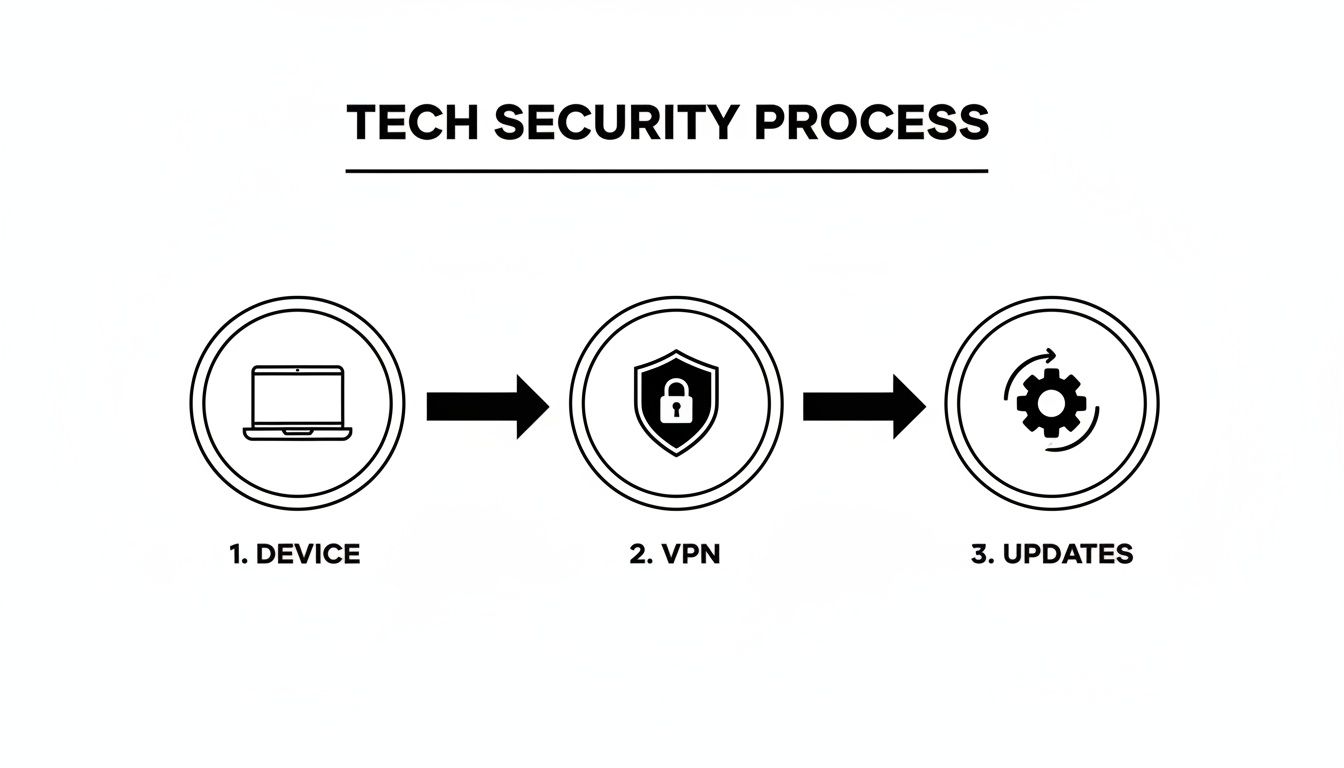
The flow here is key: a secured device, shielded by a VPN, kept strong with regular updates. Each layer supports the others to create a much more resilient digital presence.
Managing the Mental Aftermath
Let’s be honest: being targeted like this is terrifying. The emotional and psychological toll is often the worst part of the damage, leaving you feeling violated, anxious, and constantly looking over your shoulder. Acknowledging this isn't a sign of weakness; it’s a crucial step towards feeling safe again.
Lean on your support system, whether that’s trusted friends, family, or other streamers who get what you’re going through. Taking a break from streaming to look after your mental health is completely okay and often necessary. Remember, these attacks are designed to make you feel isolated and powerless. Reaching out for help is a powerful way to fight back. Identity protection for streamers isn't just about firewalls and software; it's about building the personal strength to handle these situations when they happen.
Common Questions About Streamer Privacy
You’ve built your digital fortress and mastered on-stream OpSec, but the day-to-day reality of streaming always throws up some curly questions. This is where we tackle the common "what ifs" and "how do I's" that every creator thinks about. Let's get straight into the practical stuff.
Is a PO Box Enough to Protect My Address for Wishlists?
A Post Office box is a decent first step, but honestly, it’s more of a deterrent than a foolproof shield. While it keeps your home address private, it still links your public persona to a specific town or even a particular neighbourhood. For someone determined, that's a huge piece of the puzzle they can use to narrow their search.
A much better approach is to use a third-party gifting service like Throne. These platforms are designed specifically for creators and act as a secure middleman.
Here’s the simple genius of how they work:
- A fan picks an item from your public wishlist on the service.
- They pay the service directly.
- The service then orders the item and has it shipped to you.
Crucially, neither the fan nor the original shop ever sees your address. It completely breaks the chain of information, offering a much higher level of identity protection for streamers than a simple PO Box ever could. It’s a professional-grade solution for a common creator problem.
Can Someone Really Find Me from a Reflection in My Eye?
It sounds like a plot from a spy film, but the short answer is yes, it's technically possible. Modern high-resolution cameras, especially the kind used for professional streaming, capture an incredible amount of detail. A clear reflection in your glasses, a mirror in the background, or even your pupils could potentially reveal what’s on your monitor or give a glimpse of your room’s layout.
It’s not just reflections, either. That unique art print on your wall? A quick reverse image search could lead someone to the artist’s online shop, which might link to an old social media account where you once liked their page. The devil is in these tiny, seemingly insignificant details.
This is exactly why a sterile, controlled background is so important. Your best bet is always a green screen with a virtual background or a completely neutral, undecorated wall. Before you ever go live, do a meticulous check for any reflective surfaces and strip out anything that could be traced back to you.
How Do I Handle ID Verification Without Exposing Myself?
This is a massive and completely valid concern. Platforms need to verify your age and identity for legal reasons, especially here in the UK, to comply with regulations. Handing over your passport or driving licence feels totally counterintuitive when you're trying to stay anonymous.
Your security here really hinges on trusting the platform's systems. Reputable sites use encrypted portals and have strict data protection policies. Never, ever send your documents over an unsecured channel like email or Discord. Always use the official upload tool within the platform itself.
As a good habit, consider adding a digital watermark to the image of your ID before you upload it. Using a simple photo editor, you can add text like, "For verification on [Platform Name] only." While this won't stop a major data breach, it can deter casual misuse and helps prove where the image came from if it ever leaks.
Do I Really Need a Separate Phone Number for Streaming?
Yes. One hundred percent. Think of your personal mobile number as the master key to your entire life. It’s connected to your bank, your real social media, your family, and countless account recovery processes. Using it for your streaming persona is like handing that master key to a stranger.
Getting a separate number creates another essential firewall between your two worlds. You don’t need a whole new phone contract, either. A cheap pay-as-you-go SIM will do the job perfectly, or you can use a Voice over IP (VoIP) service like Google Voice. This gives you a dedicated number for any streaming-related accounts that require one, like Telegram, Discord, or two-factor authentication, without ever linking back to your true identity.
It’s a simple, cheap, and powerful step in protecting yourself.