
If you're looking into VR cameras for live streaming, what you’re really doing is looking for a way to cut through the noise. Everyone and their dog is streaming in 1080p, but how do you create an experience that people remember? The answer is to build something so immersive your viewers feel like they’re right there in the room with you. That feeling is what turns into higher engagement, longer sessions, and—let’s be honest—more tokens. You’re not just selling a video feed anymore; you're offering a premium, interactive space.
Why VR Streaming Is Your Next Big Upgrade
In the world of online creators, standing out is the whole game. A decent HD stream is just the price of entry these days. Moving to VR isn’t just a tech fetish; it’s a business decision to build a high-value experience that sets you apart from the thousands of other performers online.
When a viewer can put on a headset and actually look around your room, they're not just a passive observer anymore. They're a participant. That sense of presence is what gets them hooked, makes them feel a genuine connection, and ultimately persuades them to spend more on tips and private shows. It turns your stream from a broadcast into a destination.
From Passive Viewer to Active Participant
Think about how the whole dynamic shifts. A normal stream is basically a one-way street. VR, on the other hand, is interactive by its very nature.
- A Real Sense of Presence: Your viewers feel like they are physically in the room with you. That’s a powerful psychological pull.
- Deeper Engagement: This feeling of being there makes people far more likely to interact, tip for specific requests, and stick around for much longer.
- A Premium Service: Most creators aren't doing this. It immediately positions you as a premium brand, and you can price your time accordingly.
The Financial Upside of Immersion
This isn't just about cool tech. The UK's live streaming market growth on grandviewresearch.com is driven by creators finding new ways to keep audiences engaged. Immersive content is a huge part of that. In fact, creators using VR cameras for live streaming often report up to 30% higher viewer retention. Why? Because a 360-degree view turns a simple broadcast into a compelling virtual world that people don't want to leave.
The table below really spells out the shift from a standard webcam setup to a full VR experience.
| Feature Comparison | Standard HD Webcam Stream | VR 360-Degree Stream |
|---|---|---|
| Viewer Experience | Passive, like watching a film. You control everything they see. | Active and immersive. The viewer controls their own point of view. |
| Creator Control | You have total control over the frame and what the audience sees. | You control the environment, but the viewer decides where to look. |
| Earning Potential | Standard tips, subscriptions, and platform payouts. | Unlocks premium-priced private shows and unique tip incentives. |
| Market Position | You're competing with almost every other creator on the platform. | You establish yourself as a high-tech, premium, and forward-thinking creator. |
At the end of the day, adopting VR is about future-proofing your brand. It gives you a powerful way to cultivate a loyal audience that is willing to pay for an experience they simply can't find anywhere else.
Decoding the Different Types of VR Cameras
Diving into the world of VR cameras for live streaming can feel like learning a new language. Not all 360-degree cameras are built the same, and picking the wrong one is a costly mistake you tend to only make once. Understanding the fundamental differences in tech is the first real step to avoiding buyer's remorse and actually creating the experience you have in your head.
The first, and most important, fork in the road is deciding between a monoscopic and a stereoscopic camera. It might sound overly technical, but the difference is straightforward and has a massive impact on what your viewers actually see and feel.
Monoscopic 360: Flat But Functional
A monoscopic 360 camera works by capturing a single, flat, spherical image. The easiest way to think of it is like wrapping a massive panoramic photo all the way around your head. Your audience can look left, right, up, and down, but there's no real sense of depth. Objects don't appear closer or further away; it’s more like watching a film on a screen that just happens to completely surround you.
These cameras are typically:
- More affordable: They represent the most common entry point into the 360-degree streaming world.
- Easier to set up: The workflow is far simpler, and the bandwidth requirements are much lower than their 3D cousins.
- A solid starting point: Perfect for creators wanting to dip their toes into VR to see if it connects with their audience, all without a huge initial investment.
While it lacks that true, brain-tricking immersion, a high-quality monoscopic stream is still a huge leap from a static, flat-screen view. It gives people a genuine sense of presence, even if it doesn't quite convince them they're truly "there."
Stereoscopic 3D: True Immersion
Stereoscopic cameras, on the other hand, are where genuine virtual reality begins. These bits of kit use two lenses—one for each eye—to capture two distinct video feeds at the same time. When someone watches this through a VR headset, their brain stitches the two images together, creating a true three-dimensional effect with authentic depth perception.
This is the tech that makes viewers feel like they could reach out and touch something in your room. The sense of scale and distance feels real, which is the magic ingredient for crafting a premium, unforgettable experience.
Of course, this extra layer of immersion comes with some serious trade-offs. Stereoscopic setups are more expensive, demand a much more powerful computer for encoding, and require a seriously beefy and stable internet connection to push two high-resolution video streams at once. It's a professional-grade commitment, no two ways about it.
This decision tree visualises the path creators often take when considering an upgrade to a more immersive, premium VR streaming setup.
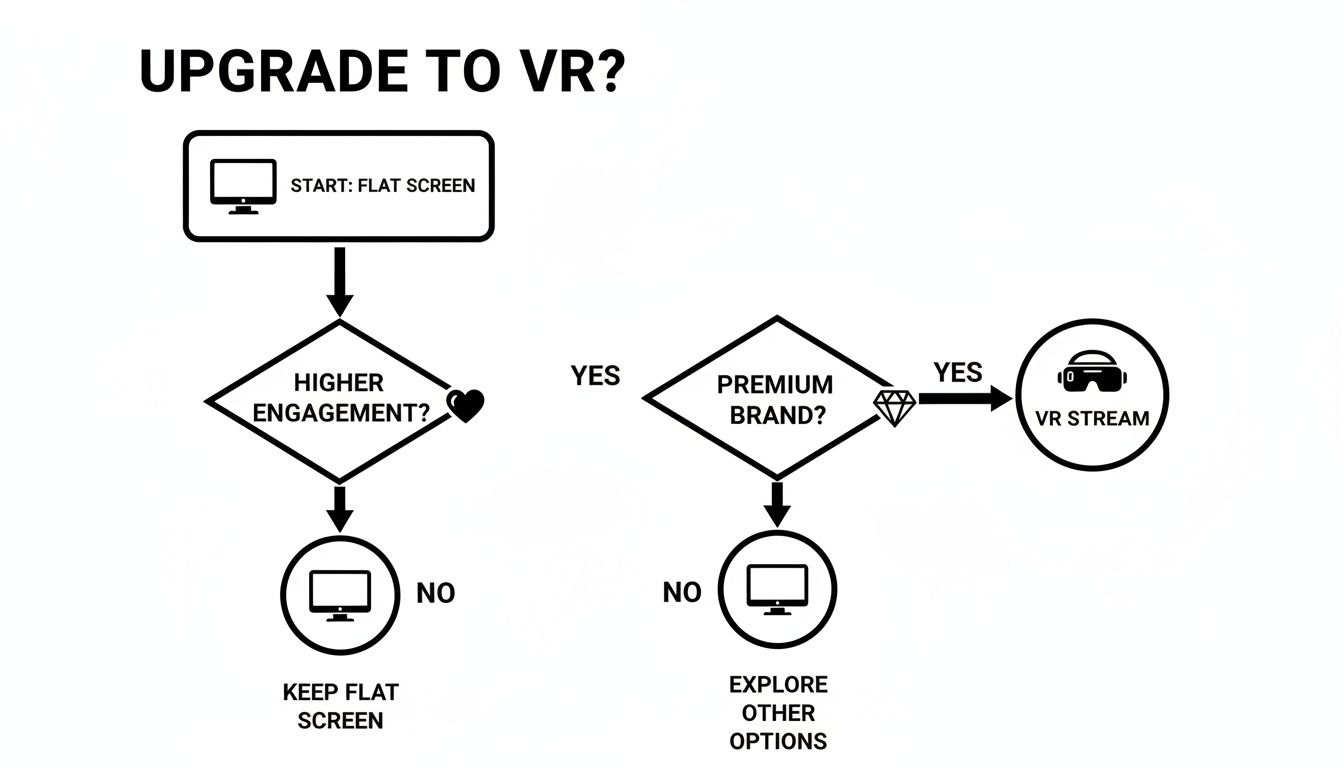
As the flowchart suggests, the move to VR is often driven by a desire to boost engagement and establish a more premium brand, which helps justify the investment.
To make this choice clearer, let's break down how these technologies stack up in a practical sense for a live streaming creator.
Practical Comparison of VR Camera Types
| Camera Technology | Ideal for Creators Who… | Viewer's Experience | Setup & Workflow Complexity | Typical Price Range |
|---|---|---|---|---|
| Monoscopic 360 | …are starting out, testing audience interest, or working with a limited budget and internet connection. | Can look around in 360 degrees. Lacks depth, feeling more like a spherical video screen. | Low to Medium: Often plug-and-play. Simpler software and lower bandwidth needs. | £300 – £1,500 |
| Stereoscopic 3D | …are serious about VR, have a dedicated audience, and want to offer a premium, truly immersive experience. | Full 3D depth perception. Feels "real" and a viewer can sense the distance and scale of objects. | High: Requires powerful hardware for encoding, high-speed internet, and more technical know-how. | £3,000 – £20,000+ |
Ultimately, your choice depends entirely on your goals and resources. A rock-solid monoscopic stream will always beat a stuttering, low-quality stereoscopic one.
Consumer Cams vs. Pro Rigs
Beyond the 2D/3D split, the market is divided between user-friendly consumer cameras and far more complex professional rigs.
- Consumer Cameras: Models from brands like Insta360 are designed for ease of use. They often handle video stitching inside the camera itself, come with simple software, and are pretty much plug-and-play. The trade-off is that you get less manual control over settings like bitrate and exposure, which can frustrate perfectionists.
- Professional Rigs: These setups can involve multiple cameras mounted together or high-end, all-in-one units. They give you granular control over every single aspect of the image but demand a deep technical understanding of video production, stitching software, and live encoding. They’re incredibly powerful but come with a steep learning curve.
Choosing the right type of VR camera for live streaming isn't about buying the most expensive gear you can find; it’s about matching the tech to your goals, your budget, and your technical comfort level. A crisp 4K monoscopic stream that’s stable and reliable is infinitely better than a laggy, pixelated stereoscopic stream that constantly drops out.
What Camera Specs Actually Matter?
When you first start looking at VR cameras for live streaming, the spec sheets can feel like reading another language. It's all too easy to get lost in a jungle of numbers and acronyms, but honestly, only a few of these features will truly make or break your stream. Let’s cut through the marketing bullshit and translate the jargon into practical advice.
Forget the hype for a moment. We're going to focus on what directly shapes the viewer's experience. Nailing these core specs is the difference between a stream that feels genuinely immersive and a pixelated, stuttering mess that sends people clicking away.
Why 8K Resolution Is Not Overkill
Think about a standard 1080p stream. All those pixels are crammed into the rectangular screen right in front of you. Now, imagine taking that same number of pixels and stretching them across a massive virtual sphere for a 360-degree view. If you start with a 4K camera, by the time a viewer looks at one small section of that sphere, the resolution they actually see can drop to something closer to a fuzzy 720p.
This is exactly why 8K resolution isn't just a flashy buzzword; it’s pretty much the baseline for sharp, believable VR. It gives you enough pixel density to ensure that no matter where your audience looks, the image stays crisp and detailed. It’s the difference between feeling like you’re looking through a grimy window and feeling like you’re actually there.
An 8K stream provides the pixel density needed to make a 360-degree environment feel sharp and convincing. Anything less, and the illusion of presence starts to fall apart as soon as the viewer turns their head.
Frame Rate: The Key to Smooth Motion
Frame rate, measured in frames per second (fps), is all about how smooth and realistic motion looks on screen. For a normal broadcast, 30fps is often perfectly fine, but inside a VR headset, it can feel jarring and unnatural.
- 30fps: This is the absolute minimum. It works, but any fast movement can look choppy and might even trigger a bit of motion sickness for some viewers.
- 60fps: This is the gold standard for live VR. It creates incredibly fluid motion that feels lifelike and comfortable to watch, especially when there’s a lot going on. The realism it adds is a massive part of keeping viewers immersed.
Of course, a higher frame rate demands more from your camera, your PC, and your internet connection. But the payoff in viewer comfort and realism is huge. A silky-smooth 60fps stream is a premium feature your audience can genuinely feel.
In-Camera Stitching: A Live Streaming Lifesaver
Every 360-degree camera uses multiple lenses to capture the entire scene. Stitching is the process that blends these separate video feeds into one seamless, spherical video. For live streaming, how this happens is absolutely critical.
Some pro rigs force you to run separate software on a powerful PC just to stitch the video together in real-time. This adds another layer of complexity and puts a serious strain on your computer’s processor.
For most creators, in-camera stitching is a non-negotiable feature. This means the camera does all the heavy lifting itself and outputs a single, ready-to-stream video. It massively simplifies your workflow, slashes the chances of technical glitches, and frees up your PC’s resources to focus purely on encoding the stream. To dig deeper, check out our guide on finding the best camera for live streaming.
Encoding and Bandwidth: The Unseen Essentials
Finally, let’s talk about how your video actually gets from your camera to your audience. The camera encodes the video into a compressed format, which your internet connection then uploads.
You'll run into two main codecs:
- H.264 (AVC): This is the older, more widely supported standard. It’s reliable, but it’s less efficient, which means you need more bandwidth to get the same quality.
- H.265 (HEVC): This is the newer, much more efficient standard. It delivers the same video quality as H.264 using roughly half the bandwidth—a game-changer for high-resolution VR streams.
Your choice of camera and codec directly affects the upload speed you'll need. A high-quality 5K or 8K stream using H.265 might demand a stable 30-50 Mbps upload speed, or even more. This is why a rock-solid, wired internet connection isn't just a friendly suggestion—it’s a hard requirement. Before you invest in any gear, you have to be sure your internet can handle the load.
Building Your VR Streaming Workflow
So, you've got a shiny, new, and probably very expensive VR camera. That's the easy part over with. The real challenge, as many creators discover the hard way, is getting that camera to play nicely with your computer, your internet, and your streaming software without everything catching fire mid-show.
Let's get one thing straight: plugging in a VR camera for live streaming and expecting a flawless broadcast is a recipe for disaster. This is about building a stable, reliable system from the ground up. It’s less about creative flair and more about cold, hard technical reality.
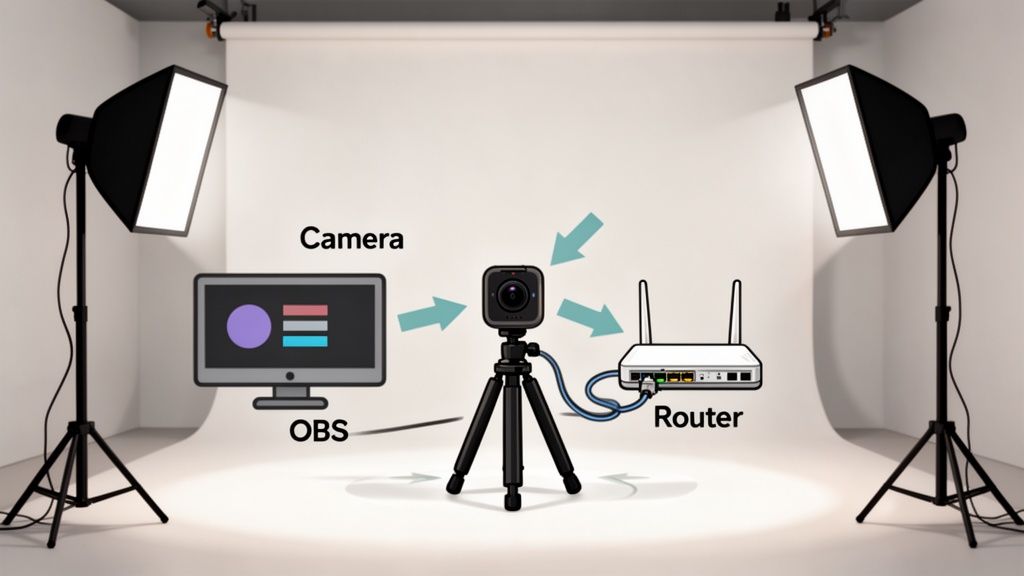
The Unforgiving Hardware Reality Check
Before we even touch the software, we need to have a serious talk about the physical setup. Your old streaming PC that handled 1080p like a champ? It's probably going to have a meltdown when you ask it to encode 8K 360-degree video in real-time. This is a completely different league.
Your core non-negotiables are:
- A High-End PC: We're talking a modern multi-core CPU (think Intel i9 or AMD Ryzen 9) paired with a powerful, dedicated graphics card (NVIDIA RTX 30-series or newer). The GPU does the heavy lifting for video encoding (using NVENC), so this is not the place to be frugal.
- A Wired Internet Connection: Attempting to stream VR over Wi-Fi is just asking for trouble. You absolutely need an ethernet cable plugged directly into your router for a stable, consistent upload speed.
- Serious Upload Speed: For a decent 4K or 5K stream, you'll need a sustained upload speed of at least 30-50 Mbps. That "up to 50 Mbps" your provider advertises doesn't count; run multiple speed tests during peak hours to see what you actually get.
Your workflow is only as strong as its weakest link. A top-tier camera is useless if your PC can't encode the video or your internet can't upload it fast enough. Every single component has to be up to the task.
Crafting Your 360-Degree Stage
Setting up your room for a 360-degree stream is also fundamentally different. You can't just hide your mess behind the camera anymore, because there is no behind the camera.
Think carefully about camera placement. You’ll want it in the centre of the action to give viewers the best sense of presence. Lighting also becomes far more complex. You can't rely on a single key light; you need balanced, even lighting from multiple angles to avoid harsh shadows as you move around the space. Soft, diffused lights like softboxes will be your best friend here.
According to the UK live streaming market outlook on mobilityforesights.com, the demand for high-quality, immersive content is a key driver of market growth. Modern VR cameras are meeting this need with features like edge computing to deliver low-latency, encrypted feeds—vital for both security and performance. This technical backbone helps make the high-bandwidth dream of 8K VR streaming a practical reality for independent creators.
Taming the Software Beast
Once your hardware is sorted, it’s time to get everything talking to each other in software. Your primary tool here will almost certainly be Open Broadcaster Software (OBS) or a similar program like Streamlabs.
Here's a simplified look at the signal chain:
- Camera to PC: Your VR camera connects to your computer, usually via a high-speed USB-C or ethernet cable.
- Camera to OBS: Inside OBS, you'll add the camera as a new video capture source. This is where you'll see the raw, "stitched" equirectangular video feed.
- OBS to Platform: You then configure OBS with your stream key from your chosen platform. OBS encodes the video and sends it out to their servers.
This process often involves downloading specific drivers or software from your camera's manufacturer to ensure it's properly recognised by your system. Compatibility can be a real headache, so always check that your camera model is officially supported by both your streaming software and your platform before you buy.
And as your setup grows, managing scenes and inputs smoothly becomes a priority. You might find a good Stream Deck alternative invaluable for controlling your broadcast on the fly. Building a reliable workflow is all about making the live experience as manageable as possible.
Managing Privacy and Security in a 360-Degree World
With a standard webcam, you're the director. You decide precisely what your audience sees, and it’s easy to keep a messy corner or a personal photo out of frame. But when you switch to VR cameras for live streaming, that control disappears. The camera captures absolutely everything, all at once. Suddenly, privacy isn't just a setting to be toggled; it's a physical and digital strategy you have to build from the ground up.
When your entire room becomes the stage, the risk of accidentally doxxing yourself skyrockets. A stray bit of mail on a desk, a reflection showing the street outside your window, or even a unique piece of art can become a major security risk. You need to be ruthlessly meticulous before you even think about hitting that ‘Go Live’ button.
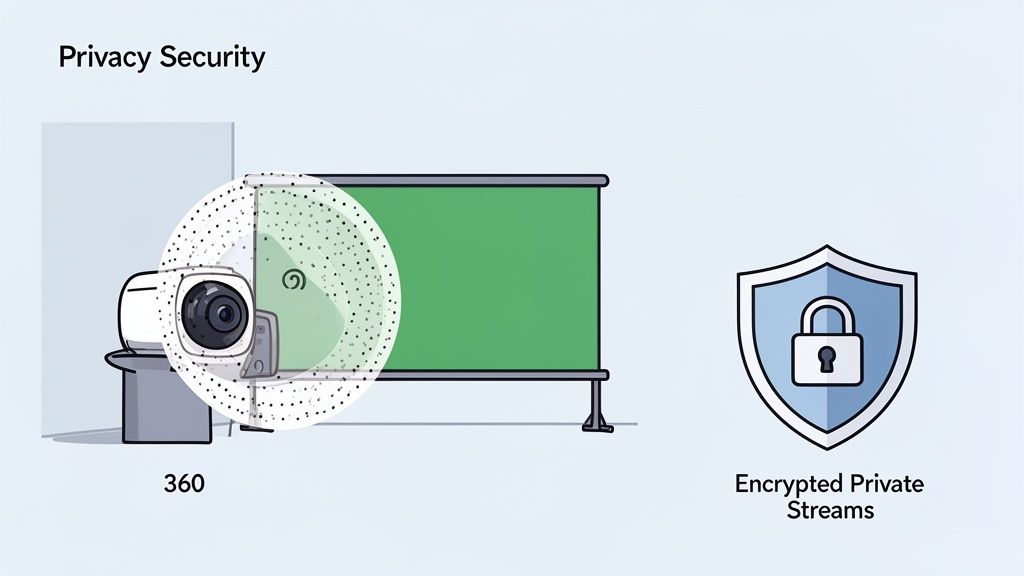
Creating Digital and Physical Safe Zones
The best way to protect your personal space is to make sure it never appears on camera to begin with. This takes a bit of planning, but it's a lot easier than trying to erase an accidental leak from the internet. The goal is to create deliberate blind spots where you can keep personal items without a second thought.
Think about your space in three dimensions:
- Physical Barriers: Use decorative screens, thick curtains, or even carefully placed furniture to wall off entire sections of your room. This effectively creates a dedicated performance area and a separate, private 'off-stage' zone.
- Digital Blind Spots: Some high-end camera software lets you mask or blur specific parts of the 360-degree feed in real-time. This is perfect for permanently blocking out a doorway or a window.
- Virtual Backgrounds: This is much trickier in a 360-degree environment than with a normal webcam, but it is possible. You can wrap a green screen around a large portion of your space, giving you total control by replacing your real environment with a digital one. Be warned, though—it requires a lot of setup and complex lighting.
Your pre-stream check is no longer just about testing your mic. It’s a full security sweep. Put on a VR headset, look around your own room from the viewer's perspective, and hunt for anything that could identify you, your location, or anyone else.
Locking Down Your Stream and Connection
Beyond what the camera sees, you have to secure the stream itself. Your broadcast is a direct data pipeline from your home to the world, and it needs to be protected just as fiercely as your physical space. The last thing you want is for a private, paid-for show to be seen by people who haven't paid.
Start by getting to know your platform's security features inside and out. Most reputable sites offer solid tools for managing who can see your content. For a deeper dive into platform operations, our guide explains in detail how webcam sites work.
Essential Stream Security Checklist:
- Use Private Show Features: Never use a public stream for one-on-one sessions. Always use the platform's built-in token or password-protected private show functions. This is the only way to ensure only the paying viewer has access.
- Enable Two-Factor Authentication (2FA): Protect your creator account with 2FA. This makes it significantly harder for anyone to get unauthorised access and mess with your profile or your earnings.
- Secure Your Network: Make sure your home Wi-Fi is protected with a strong, unique password using WPA2 or WPA3 encryption. A wired ethernet connection is also a good idea—it's not only more stable for streaming but also slightly more secure than broadcasting over Wi-Fi.
- Consider a VPN (For Research, Not Streaming): A VPN can add a great layer of anonymity for general browsing, but it's not a good idea to stream through one. It can introduce serious lag and instability. Using one for all your other online activity, however, is a smart security habit.
Ultimately, streaming in VR demands a new way of thinking. You are the curator of an entire world, which means you're also its head of security. By combining smart physical staging with robust digital security, you can deliver the incredible immersion of VR cameras for live streaming while keeping your personal life safely and completely off-camera.
Your Top VR Streaming Questions Answered
Dipping your toes into the world of VR cameras for live streaming is bound to bring up a lot of questions. It's a big step up in terms of kit, cost, and complexity, so it's smart to get some straight answers before you commit. We've tackled some of the most common queries we hear from creators looking to make the leap.
Do I Really Need a Monster Internet Connection for VR?
Yes. This is the one thing you absolutely cannot skimp on. A rock-solid, high-speed, wired connection is the foundation of any decent VR stream. Don't listen to the adverts your internet provider puts out; you need to know your real-world, consistent upload speed.
A standard 1080p stream might get away with 10-15 Mbps upload. But for a quality 4K or 5K 360-degree stream, you're looking at a consistent 30-50 Mbps upload speed as a bare minimum. Honestly, the more you have, the better. Any drop or fluctuation will instantly translate to buffering and pixelation for your viewers, completely shattering the immersive feeling you're working so hard to create.
Before you even browse for a camera, run speed tests at different times of the day to see what your connection can genuinely handle. And a wired ethernet connection isn't a suggestion—it's mandatory. Trying to pull this off over Wi-Fi is the fast track to a choppy, unwatchable broadcast.
Which Streaming Platforms Actually Support 360-Degree Video?
This is a real minefield, and you have to do your homework before spending a penny. Support for 360-degree video varies wildly between platforms, and assuming your favourite site is ready for it can be a very expensive mistake.
Mainstream platforms like YouTube have offered solid 360-degree and VR live support for years. In the adult creator space, it's a completely different landscape. You'll usually find it positioned as a premium feature on a handful of platforms that have actually invested in the necessary infrastructure. Some sites have dedicated VR sections, while many others offer no native support at all.
You have to dig into the specific technical guidelines for any platform you're considering. Look for phrases like 'equirectangular projection support' and double-check their required resolution, bitrate, and ingestion protocols. Realising your new multi-thousand-pound camera setup is incompatible with your platform is a heartbreaking—and entirely avoidable—scenario.
How Do I Manage Chat and Tips During a VR Stream?
This is one of the biggest practical hurdles for new VR streamers. You can't just glance at a second monitor when you're wearing a headset, fully immersed in your own broadcast. It demands a completely different approach to interacting with your audience.
Through trial and error, experienced creators have figured out a few clever solutions:
- In-Headset Overlays: Software like OVR Toolkit lets you pin your chat windows, tip alerts, and other info as floating windows inside your virtual space. This is the most elegant solution, but it takes some real practice to get used to.
- Strategic Device Placement: Many creators will place a physical tablet or phone just within their line of sight but outside the main camera view. This allows for quick, at-a-glance checks without fully breaking character.
- Audio Alerts Are Your Best Friend: Since visual cues are harder to catch, audio alerts for new followers, tips, and subs become absolutely essential. Set up distinct sounds so you know exactly what's happening without needing to look.
The trick is to practise your chosen method relentlessly in offline tests. You want the interaction to feel completely natural so it doesn't interrupt the flow of your show or break the viewer's sense of being there with you.
"Your ability to interact in real-time is what separates a live show from a pre-recorded video. In VR, that interaction has to feel effortless, even though the technical setup is anything but. Nail your alert and chat system, or the tech will get in the way of the performance."
Is the Investment in a VR Camera Actually Worth It?
It absolutely can be, but it’s not a magic money-printing machine. The return on investment comes from your ability to market the VR stream as a premium, exclusive experience that justifies a higher price tag.
Simply pointing a 360-degree camera at your usual show won't automatically triple your income. The creators who really make a success of VR cameras for live streaming are the ones who build their entire business model around the technology.
This means you need to get strategic about how you offer the experience:
- Charge a premium for private, one-on-one VR shows.
- Make VR access a key perk of your highest subscription tier.
- Design performances that actually make use of the interactive, 360-degree space.
The ROI is tied directly to your skill in creating compelling content that makes people feel the higher price is worth it. It’s for serious creators who want to build a high-end brand and are willing to put in the work to attract an audience that values—and will pay for—that unique level of immersion.