
Excellent device security for live streamers isn't just a good idea—it's absolutely essential. The moment you start earning money online, you become a target. This isn't about scaring you; it's a simple economic reality. Your streaming setup, from your PC and webcam to your router, is your business headquarters. Protecting it is just as vital as having a quality camera or a clear microphone.
Why Your Streaming Setup Is a Goldmine for Hackers
Let’s be blunt. Too many streamers fall into the trap of thinking, "I'm too small to be a target." That's a dangerously flawed assumption.
To a hacker, you're not just a person playing a game or chatting on camera; you're a collection of valuable assets. Every tip, subscription, and private session is a financial transaction. Your accounts are treasure troves of personal data, payment information, and, crucially, direct access to your audience.
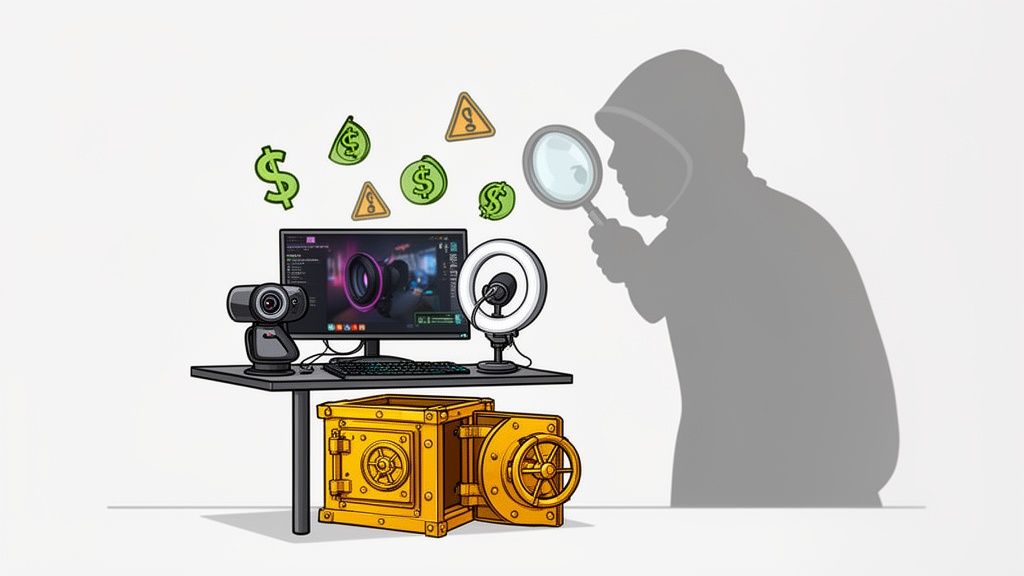
This goes far beyond someone hijacking your stream to blast annoying music. A real security breach can lead to devastating real-world consequences.
- Financial Theft: Once they’re in, attackers can try to reroute your earnings, steal your banking details, or even use your reputation to defraud your followers.
- Doxing and Harassment: A compromised router or PC can leak your real IP address. That information can be used to uncover your physical location, leading to terrifying situations like doxing, swatting, or even real-life stalking.
- Blackmail and Extortion: Imagine a hacker gaining access to your private files, photos, or direct messages. They can easily use that personal material as leverage to extort money or demand control over your content.
- Reputation Damage: An attacker could seize your social media or streaming profiles, posting offensive content that shatters the community you've spent countless hours building.
To give you a clearer picture, I've put together a quick table that connects these common threats with what they actually look like in practice and the first thing you should do to stop them.
Streamer Threat vs. Security Action
This table breaks down the most common risks streamers face and the immediate, practical security measures you can take to counter them. Think of it as your first-aid kit for digital defence.
| Common Threat | What It Looks Like | Your First Line of Defense |
|---|---|---|
| Doxing | Your real name, address, or other personal info is leaked online. | Use a reliable VPN to mask your real IP address and create separate, anonymous online profiles. |
| Account Takeover | You're locked out of your streaming or social accounts; the password no longer works. | Enable Two-Factor Authentication (2FA) on absolutely every account. Use an authenticator app, not SMS. |
| Malware/Ransomware | Your computer slows down, files are encrypted, or you see a demand for payment. | Install reputable antivirus/anti-malware software and keep it updated. Never download suspicious files. |
| Swatting | A malicious viewer uses your leaked location to make a fake emergency call, sending police to your home. | Protect your IP address at all costs. Never click on strange links sent by viewers. |
| Financial Fraud | Unauthorised charges appear, or your stream earnings are redirected to another account. | Use strong, unique passwords for all financial platforms and monitor your accounts regularly for odd activity. |
Taking these initial steps immediately raises your security posture, making you a much harder target.
The Scale of the Threat
This threat isn't just a hypothetical "what if." It's constant, and much of it is automated. In 2025, UK businesses—and yes, that includes independent creators—faced an average of over 2,000 cyberattacks every single day. This relentless barrage is often aimed at the very systems streamers depend on, like databases and remote access tools.
When you start to grasp the sheer volume of these attacks, you begin to see why treating your setup like a business is the first real step toward securing it. If you're curious, you can learn more about the underlying mechanics of webcam platforms in our guide available at https://girlsoncam.co.uk/how-do-webcam-sites-work/.
The goal here is to build a security-first mindset. See your webcam, PC, and network not as hobbyist tools, but as the essential assets of a business that demand professional-grade protection, even if you're just starting out.
This means going far beyond just installing basic antivirus software. Real device security for live streamers requires a layered approach: hardening your operating system, locking down your network, and adopting cautious online habits.
It's all about making yourself a less attractive, more difficult target, encouraging attackers to give up and move on to easier prey. The following sections will show you exactly how to do that.
Fortifying Your Streaming PC and Operating System
Your PC is the engine room of your entire streaming operation. It’s where your content comes to life, but it’s also the most common entry point for anyone with bad intentions. A flimsy operating system (OS) setup is like leaving the keys in the ignition of your work van. Let's get it locked down.
Proper device security for live streamers starts long before you even think about hitting that 'Go Live' button. It’s all about how your machine is configured from the ground up. This isn't about becoming a tech wizard; it's just about closing the doors that are often left wide open by default.
Ditch the Admin Account for Daily Streaming
Here’s one of the simplest yet most powerful changes you can make right now: stop using your main administrator account for streaming. Think of an admin account as having the master key to every room in your house. If malware worms its way in while you're logged in as an admin, it gets a copy of that master key, too.
Instead, create a separate, standard user account on your PC—both Windows and macOS make this incredibly easy—and use that account only for your streaming. If something nasty manages to infect that standard account, its ability to cause real chaos is massively restricted. It can't install malicious software across the whole system or start messing with core OS files.
This simple act of separation contains potential disasters. A compromised standard account is a massive headache; a compromised admin account is a catastrophe that could take your entire operation offline.
It essentially creates a digital firewall between your streaming persona and the nerve centre of your computer.
Taming Your Firewall and Disabling Junk
Your OS has a built-in firewall, and your job is to make sure it’s working for you, not against you. A firewall is basically a digital bouncer, deciding which bits of data get in and which get kicked to the curb.
Most are pretty good straight out of the box, but it’s always worth double-checking that it's turned on and set to block incoming connections you haven't specifically approved. This stops random probes from the internet from finding an open door into your system.
On top of that, modern operating systems come loaded with services running in the background, many of which you’ll never, ever need for streaming. Things like remote desktop access, printer sharing, or corporate networking tools are all potential security holes if you're not using them. Systematically going through your OS settings and switching off these unnecessary services shrinks your attack surface, giving attackers fewer targets to aim for.
The Holy Grail of Security: Updates, Updates, Updates
If you take only one thing away from this section, let it be this: keep everything updated, always. I know, it sounds boring, but this is the absolute bedrock of good security. Developers are in a constant arms race with hackers. When a vulnerability is found, a patch is released to fix it. If you don't install that patch, you are knowingly leaving a hole in your defences.
And this isn't just about Windows or macOS. Your drivers are just as critical.
- Webcam Drivers: This is the software that talks to your camera. An old, unpatched driver could potentially be exploited to gain control of your webcam.
- Audio Interface Drivers: Just like your webcam, this is another potential entry point that needs to be kept current.
- Graphics Card (GPU) Drivers: Absolutely crucial for stream performance, but also a surprisingly common target for exploits.
Get into the habit of checking for updates weekly. Set your OS to update automatically. Treat every update notification not as an annoyance, but as a free security upgrade. Keeping your hardware in top shape is key, and if you're looking for recommendations, you can learn more about the best camera for live streaming in our detailed guide.
Hardening your PC is an ongoing process of maintenance and awareness. By creating a dedicated user account, configuring your firewall, and being relentless with updates, you’re building a stable, secure foundation for your entire streaming business.
Locking Down Your Network and Router
Think of your internet connection as the front door to your entire streaming setup. If your router isn't configured properly, you've essentially left that door wide open with a neon sign flashing "free stuff inside." Locking down your network is one of the most fundamental things you can do for your security, and thankfully, it’s much simpler than it sounds.
Your first job, and it’s a big one, is to change your router's default admin login. I’m talking about that generic "admin" and "password" combo printed on the sticker. You’d be shocked how many people never touch this. Leaving it as is allows anyone with a bit of know-how to waltz right into your network's control panel. Hackers run automated scripts 24/7 scanning for these exact defaults. It takes two minutes to change and instantly shuts down a massive vulnerability.
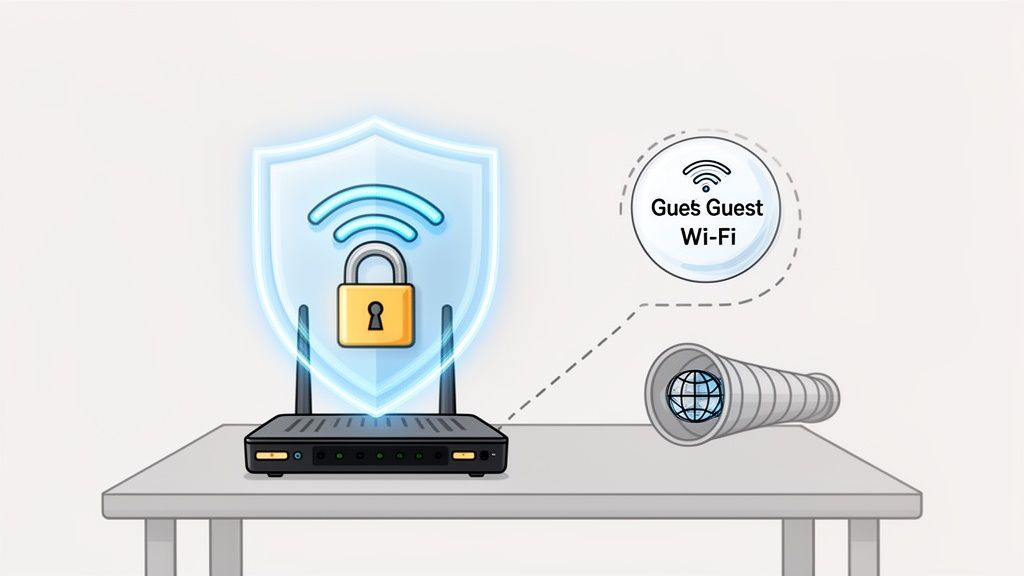
While you're logged into your router's settings, make sure your Wi-Fi is using the strongest encryption possible. Right now, that’s WPA3. If your router is a few years old and doesn't support it, WPA2 is your next-best option. Anything older, like WEP or the original WPA, is completely broken and can be cracked in minutes with freely available tools.
Isolate Your Streaming Kingdom
Here’s a real power move: set up a separate "guest" network. Most modern routers have this feature built-in, and for a streamer, it's an absolute game-changer.
This simple setting creates two entirely separate Wi-Fi networks from a single router. One is your inner sanctum, the other is for everything else. This kind of segmentation is a cornerstone of good security practice.
- Main Network: Reserve this exclusively for your streaming PC, your primary phone, and any other mission-critical devices. No exceptions.
- Guest Network: This is the playground for everything else. Friends' phones, your smart TV, voice assistants, and any other "Internet of Things" (IoT) gadgets connect here.
By isolating your gear, you create a digital firewall. If a less-secure device on your guest network gets compromised—and let's be honest, smart gadgets are notoriously insecure—the threat is contained. It can't jump over to your streaming PC. It’s like having a separate entrance for visitors, keeping your private office completely secure.
Your Cloak of Invisibility: The VPN
Let’s be clear. A Virtual Private Network (VPN) isn't a "nice to have." It's an essential piece of kit for any serious streamer. A VPN works by routing your internet traffic through a secure, encrypted server somewhere else in the world. This one action achieves something incredibly important: it hides your real IP address.
Your IP address is your home’s digital postcode. If a malicious viewer gets hold of it, they can pinpoint your general physical location with frightening accuracy. This is the information that enables terrifying real-world attacks like swatting (a hoax call that sends armed police to your door) or doxing (publishing your private info online for everyone to see).
A visible IP address also makes you a prime target for DDoS (Distributed Denial of Service) attacks. This is where an attacker floods your internet connection with so much garbage traffic that it collapses, booting you offline mid-stream.
A VPN is not an optional extra; it's a non-negotiable tool of the trade for any serious streamer. It's the digital curtain that hides your real identity from the audience.
By using a reputable, paid VPN service every single time you go live, you show the world the VPN's IP address, not your own. Your real location stays private, your connection is shielded from DDoS attempts, and you gain a powerful layer of anonymity. It's one of the best investments you can make in your personal safety and the stability of your stream.
Protecting Your Digital Identity and Accounts
Think of your streaming platform login, social media profiles, and email as the keys to your entire digital kingdom. If an attacker gets those keys, all the hard work you put into securing your PC and network can become irrelevant in an instant. This part of your security isn't just about firewalls; it’s about making it practically impossible for someone to just waltz into your online life, even if they somehow get hold of your password.
This isn’t some abstract, far-off risk. Your digital identity is the number one target for phishing scams, brute-force attacks, and all kinds of social engineering tricks. A single compromised account can lead to stolen earnings, a trashed reputation, or, even worse, being completely locked out of the business you’ve built from scratch.
Your Single Most Powerful Defence: Multi-Factor Authentication
If you only do one thing after reading this guide, make it this: enable multi-factor authentication (MFA or 2FA) on every single account you possibly can. Seriously. It is the single most effective action you can take to shield your digital life from intruders.
MFA simply means you need a second piece of proof to log in, not just your password. This is usually a one-time code from an app on your phone or a physical security key you plug in. So, even if a hacker buys your password on the dark web, they still can't get into your account. They’re stopped dead in their tracks because they don't have that second piece of the puzzle. It’s like having a bouncer at the door who checks IDs even after someone has managed to pick the lock.
Here's a quick look at how that simple extra step works in practice.
It adds just a few seconds to your login process but creates a massive barrier for anyone trying to get in from a device that isn't yours.
Authenticator Apps vs. SMS Codes
When you go to set up 2FA, you’ll often be given a choice: get a code sent to you via text message (SMS) or use an authenticator app (like Google Authenticator, Authy, or Microsoft Authenticator).
Let me be blunt: always choose the app.
SMS codes are susceptible to a nasty trick called "SIM-swapping," where a scammer convinces your mobile provider to switch your phone number over to a new SIM card they control. As soon as they do that, they start getting your 2FA codes. Authenticator apps, on the other hand, generate their codes directly on your device, completely offline, which makes them immune to that particular attack.
It's genuinely shocking, but the UK's Cyber Security Breaches Survey 2025 found that only 40% of businesses have implemented 2FA. For streamers, whose income is tied directly to their online accounts, that’s a massive gamble. With UK firms logging millions of cybercrimes every year, enabling MFA isn't just a good idea—it's basic harm reduction. You can read the full findings on cyber security readiness for yourself.
Your MFA Priority Checklist
Feeling a bit overwhelmed? Don't be. Just start with the most important accounts and work your way down. Here’s where to begin:
- Primary Email Account: This is the master key. If someone gets into your main email, they can hit the "forgot password" link on almost everything else you use. Lock this down first.
- Streaming Platform Accounts: This is where you work and earn. It's your direct line to your audience and your income. Protect it fiercely.
- Payment Processors (PayPal, Stripe, etc.): Secure the accounts where your money actually lands. No brainer.
- Social Media (X/Twitter, Instagram, etc.): Your brand and community live here. A hijacked social media account can cause immense reputational damage in a matter of minutes.
- Password Manager: If you use one (and you should), the vault holds the keys to everything. It must be protected with the strongest MFA you can apply.
Ditch Your Brain, Use a Password Manager
Speaking of passwords, it's time to stop trying to remember them. It's just not humanly possible to create and memorise unique, complex passwords for the dozens, if not hundreds, of services we all use. What usually happens? We reuse the same handful of passwords everywhere, which is a security nightmare. All it takes is for one of those sites to get breached, and attackers will immediately try that same password-and-email combination on every major platform out there.
A password manager solves this problem beautifully. Think of it as a secure, encrypted digital vault that generates and stores incredibly strong, unique passwords for every single site you use. You only have to remember one strong master password to unlock the whole thing.
When you combine a password manager with MFA across the board, you make your accounts exceptionally difficult to break into. This process of confirming who you are is also a key component of verification, and you can learn more about the age verification app process in our guide.
Choosing Your Software and Malware Protection
Your streaming software is the very heart of your broadcast. While tools like OBS Studio are brilliant, the ecosystem of plugins, browser extensions, and add-ons you build around them can be a total minefield. This is where your entire security setup can either stand strong or come crashing down.
Every single bit of software you install is another potential door into your system. Think about it: a plugin for that cool new stream overlay or a browser extension promising to add slick features to your platform is asking for permission to run code on your machine. If that code comes from a dodgy source, you’re not just getting a new feature; you could be getting a keylogger or spyware as a free, unwelcome bonus.
The Siren Song of "Free" Software
Right, let's talk about the giant, flashing red light in the room: pirated software. The temptation to grab a cracked version of a premium video editor or a "nulled" plugin is real, especially when you're just starting out and watching every penny. But honestly, this is one of the single worst security mistakes a creator can make.
These pirated packages are almost always bundled with malware. The people cracking this stuff aren't doing it out of the kindness of their hearts; they’re embedding malicious code that can do some serious damage. We're talking about code that can:
- Steal your streaming platform and bank account logins.
- Record your keystrokes, capturing every single password you type.
- Hijack your webcam and microphone, even when you think you're offline.
- Use your powerful GPU for crypto-mining in the background, wrecking your stream's performance.
It’s a classic Trojan Horse. You think you're saving a hundred quid on software, but what you're actually doing is handing over the keys to your entire online life and business. Always, always get your software directly from the official developer.
Building Your Trusted Software Ecosystem
The aim here is to build a digital toolkit where you can trust every single component. This has to start with your core security software. You absolutely need a reputable, paid antivirus and anti-malware suite running at all times. Modern security software is incredibly light on resources and often includes a "gaming mode" that silences notifications and delays heavy scans while you're live. Never, ever disable it just to squeeze out a few extra frames—it’s just not worth the gamble.
This mindset needs to apply to every part of your setup. UK businesses have been under immense cyber pressure lately, with risks from third-party software being a massive headache. For streamers, this means every plugin, every driver, and every peripheral is a potential weak point. A compromised browser extension or an old, unpatched webcam driver can become a wide-open door for an attack while you're in the middle of a broadcast. It’s worth taking a moment to understand the wider context of how these third-party risks are affecting UK cybersecurity.
Vetting Your Plugins and Extensions
Before you click ‘install’ on any third-party add-on for OBS, your browser, or anything else, just run through this quick mental checklist:
- Who made it? Look for established developers with a good track record of updates and positive reviews from the community. A quick search on Reddit or a streaming forum can tell you a lot.
- What permissions does it want? If a simple overlay plugin is asking for full access to your entire file system, that’s a huge red flag. Be sceptical and question why it needs that level of access.
- When was it last updated? Software that hasn't been touched in years is a security risk. It's effectively abandoned, meaning it’s full of security holes that will never be fixed.
Creating this trusted software ecosystem isn't something you do once and forget about. It's a continuous process of being mindful and selective, making sure every tool you use is an asset, not a liability waiting to strike.
Building Your Pre-Stream Security Ritual
All the hardened software and encrypted networks in the world can't save you from a simple, human mistake. This brings us to the final, and arguably most important, layer of your security: what you do right before hitting that 'Go Live' button. This is your operational security, or OpSec—the boring-but-critical habits that turn good theory into unbreakable practice.
This is less about fiddling with complex tech and more about building muscle memory. Think of it like a pilot's pre-flight check. It’s a simple, repeatable ritual you perform every single time, making it almost impossible to forget a crucial step when the pressure is on or you're just itching to start the stream. This routine is what separates the pros from the people who end up as cautionary tales on Reddit.
Physical and Environmental Checks
Before you even touch your software, take a look around your physical space. It's shockingly easy to leak personal information without ever saying a word.
Your first line of defence is often the most basic. If you're not actively streaming, that webcam needs a physical cover. A sticky note, a piece of tape, or a purpose-built slider—it doesn't matter what you use, just use something. It’s a non-negotiable step that ensures even if your machine gets compromised, nobody is watching you when you think you're alone. Likewise, never leave your dedicated streaming laptop unattended and unlocked in a shared space. That's just an open invitation for trouble.
The most common security failures aren't sophisticated hacks; they're simple oversights. A letter on your desk with your address, a reflection in a window showing a street sign, or a notification pop-up from your personal email. These are the self-inflicted wounds that OpSec is designed to prevent.
A good mental model for this entire process is to source, vet, and implement. First, you identify the risk (the source), then you check for it (vet it), and finally, you deal with it (implement the fix).
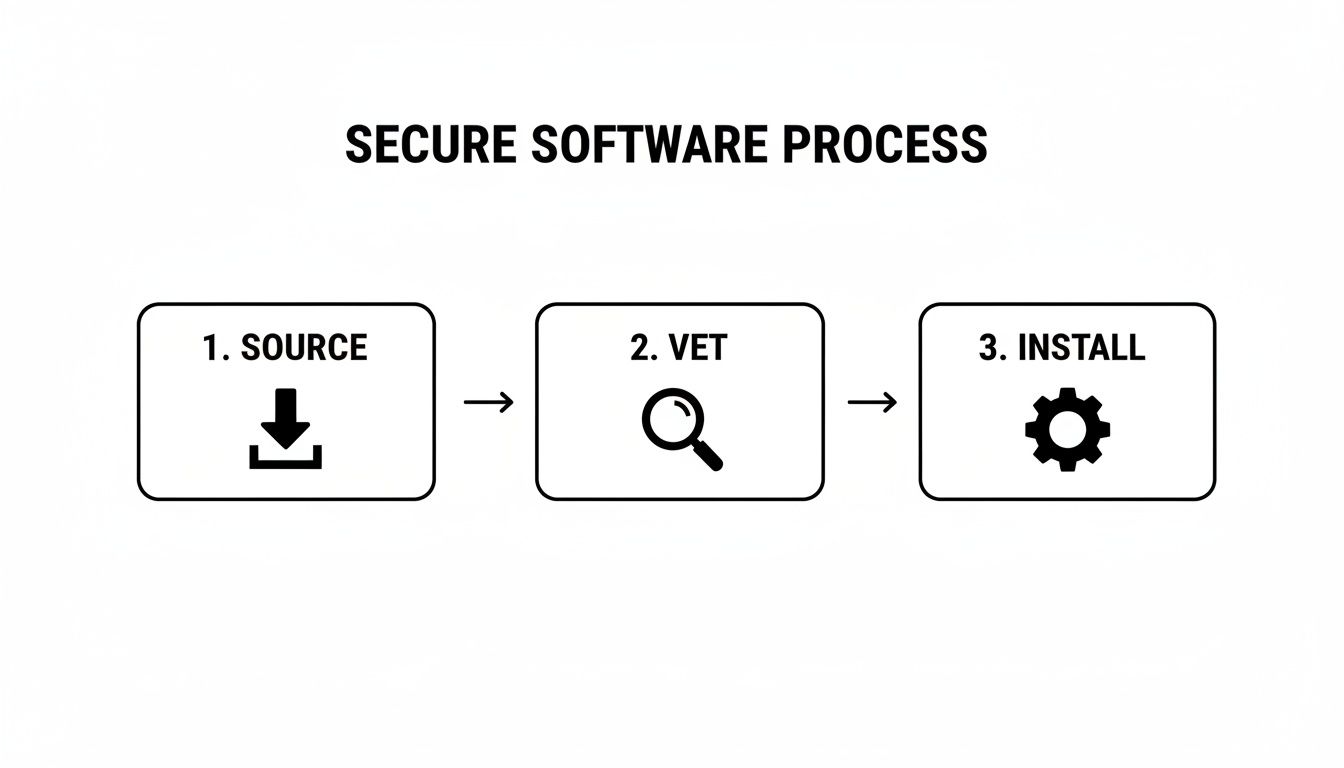
Applying this methodical approach to your pre-stream checks will dramatically reduce the chance of introducing a vulnerability into your trusted streaming environment.
Your Pre-Stream Security Checklist
The goal here is to make this routine so automatic you could do it in your sleep. Run through this list before every single broadcast until it feels wrong not to.
- Check for Critical Updates: Give your OS and key software (OBS, antivirus) a quick check. If there's a critical security patch waiting, install it. It's far better to delay your stream by 10 minutes than to broadcast with a known vulnerability.
- Confirm Your VPN Is Active: Don't just assume it's on. Open your VPN client and visually confirm that it's connected and your real IP address is hidden. This is your number one defence against doxing and DDoS attacks.
- Close Unnecessary Apps and Tabs: Every open application is a potential security risk and a resource hog. Shut down everything that isn't essential for your stream—especially your personal email, banking tabs, and social media DMs.
- Do a Final Background Sweep: Physically look at what your camera can see. Are there any parcels with your name and address on them? Any reflections in picture frames or mirrors showing personal details? Check your monitor for any on-screen notifications that might pop up.
- Clear On-Screen Clutter: Tidy your desktop. A messy desktop is a classic way people accidentally leak file names or personal info when switching scenes in OBS.
- Silence Your Phone: Put your personal phone on silent and place it face down, well out of camera shot. An incoming call or message notification can easily flash a real name or personal contact on screen for all to see.
By turning these actions into a consistent ritual, you systematically plug the most common points of failure. This isn't about being paranoid; it's about being professional. Your security, your income, and your peace of mind depend on these small, consistent actions.
Common Questions About Streamer Device Security
Dipping your toes into digital security can feel overwhelming, I get it. To cut through the noise, let's tackle some of the most common questions I hear from streamers about keeping their gear safe.
Do I Really Need a Separate PC Just for Streaming?
This is probably the number one question I get asked. While it's not strictly mandatory, running a dedicated PC just for streaming is one of the single best security decisions you can make. It creates a powerful air gap between your stream and your personal life – your banking, private DMs, family photos, everything.
Think of it this way: if your stream machine gets compromised, the attacker hits a dead end. They can't jump over to the PC that holds your entire digital life.
If a second PC isn't on the cards right now, don't worry. The next best thing is to create a separate user account on your main computer, one without administrator privileges, that you use only for streaming. It's not a physical separation, but it builds a solid digital wall.
Is a VPN Enough to Make Me Completely Anonymous?
Nope. A good VPN is a fantastic tool, but it's not an invisibility cloak. Its main job is to hide your real IP address from the public. This is absolutely crucial for protecting yourself from things like swatting and DDoS attacks, which often start with someone finding your IP.
But a VPN won't stop you from clicking on a phishing link in a dodgy email, downloading malware disguised as a new plugin, or accidentally doxing yourself by showing a sensitive document on stream.
A VPN makes you much harder to find, but it doesn't make you invincible. Real security is about layers, and a VPN is just one of them—though it's a very important one.
Can I Turn Off My Antivirus or Firewall to Reduce Stream Lag?
I'm going to be blunt: never do this. Disabling your core security tools while you're live is like unlocking your front door and leaving it wide open in the middle of a party.
Any modern, reputable antivirus software is built to have a minimal impact on performance. Most even have a 'gaming mode' that automatically silences notifications and postpones heavy scans when you're in a full-screen application. A properly set-up firewall won't cause any noticeable lag either.
If your stream is choppy, the culprit is almost always your encoding settings, your internet upload speed, or your hardware struggling to keep up. It's not your firewall. Turning off your defences for a tiny, often non-existent, performance boost just isn't worth the massive risk.