Right, let's cut through the buzzwords. Forget watching a stream on a flat screen. VR camming is about stepping inside that stream. The goal is to create a genuine sense of presence, making you feel like you’re right there in the room with the performer.
This isn't just about watching anymore; it’s about sharing a virtual space.
So, How Does This Actually Work?
The best way to think about it is to compare it to a concert. Traditional camming is like watching that concert on your telly – you can see and hear everything, but you’re fundamentally an observer. VR camming is like being handed a front-row ticket. You're in the venue, able to look around, soak up the atmosphere, and feel the energy. It’s a completely different level of immersion.
This whole scene is riding the wave of technology that's already booming in gaming. The UK's VR market, for instance, pulled in over £1 billion in 2024 and is on track to nearly triple by 2030. VR camming is piggybacking on this same hardware boom, using similar gear to bridge the gap between creator and viewer in a far more intimate way.
To get the nuts and bolts, it helps to compare the two formats side-by-side.
VR Camming vs Traditional 2D Camming at a Glance
This table gives a quick rundown of the main differences in the tech, the experience it creates, and what you actually need to get started.
| Aspect | Traditional 2D Camming | VR Camming |
|---|---|---|
| Technology | Standard webcam (e.g., 1080p/4K) | Specialised 180° or 360° cameras |
| Viewer Experience | Passive viewing on a flat screen | Active participation in a 3D space |
| Creator Hardware | Mid-range computer, good lighting | High-end PC for real-time 3D encoding |
| Viewer Hardware | Any screen (PC, phone, tablet) | VR headset (e.g., Quest, Valve Index) |
| Key Feeling | Connection through a window | Presence and shared environment |
As you can see, the leap from 2D to VR involves a serious step-up in gear and processing power, but the payoff is a far more convincing and intimate experience.
The Creator's Side of the Equation
For a performer, getting into VR camming means swapping their trusty webcam for some more specialised kit. The entire setup is designed to capture not just them, but their whole environment.
- 180-Degree or 360-Degree Cameras: These are the heart of the operation. Instead of a narrow view, they use wide-angle lenses to capture a huge panoramic slice of the room, or even the entire sphere. This is what lets the viewer look around as if they were turning their own head.
- A Seriously Powerful Computer: Pushing out high-resolution 3D video live is no small task. A creator needs a beast of a PC to encode the video stream on the fly without it dissolving into a blocky, stuttering mess.
- Streaming Software: Just like with 2D streaming, dedicated software is needed to pull the video and audio feeds together and send them off to the cam platform.
Once this is all up and running, the creator’s broadcast is sent to a platform that can handle VR streams. From there, it's about putting on a show, just like any other stream, but with an entirely new dimension of interaction. For a deeper dive into how the platforms themselves operate, have a look at our guide on how webcam sites work.
The Viewer's Immersive Experience
For you, the viewer, jumping into a VR cam show is pretty simple if you have the right gear. It all hinges on a compatible VR headset. When you tune into a VR stream, your headset takes that 3D video feed and displays it across its built-in screens, wrapping the image around you.
The magic happens when you move your head. The view shifts perfectly in sync, creating a powerful illusion that you're actually standing there. This freedom to look around is what makes it feel so real and sets it miles apart from a flat video. You can still use chat and send tips, but the main draw is that feeling of sharing a space—an intimacy that a 2D screen could never hope to match.
The Creator's Toolkit: Getting Your VR Stream Ready
So, what does it really take to get a VR broadcast off the ground? Let’s cut the jargon and get into the actual gear. It’s not just about buying a fancy camera; it's about building a system where every piece of the puzzle fits.
Making the jump from a standard 2D stream to a fully immersive VR experience requires a serious hardware upgrade and a completely different mindset about your space. Get this right, and you create a seamless, believable world. Get it wrong, and you're left with a glitchy, unwatchable mess that nobody will pay for.
The Camera: Heart of the Operation
This is the most obvious place to start. You simply can't capture a 360-degree world with a standard webcam. VR broadcasting needs special cameras fitted with multiple wide-angle lenses to see everything, all at once.
- 180-Degree Cameras: These are a solid starting point for many creators. They capture a full half-sphere, which is more than enough to give the viewer that "in the room" feeling without the massive data demands of a full 360-degree feed.
- 360-Degree Cameras: This is the gold standard. These cameras use two or more lenses, each capturing over 180 degrees, to record a complete sphere. The magic happens in the software, which stitches these feeds together to create a seamless world the viewer can explore with a turn of their head.
The camera’s software cleverly flattens this spherical view into a rectangular video format for streaming. On the other end, the viewer’s headset un-wraps it back into a sphere. While the tech is smart, the right camera is non-negotiable. If you want a deeper dive, our guide on the best cameras for live streaming is a great resource.
The Brains: A Powerful PC Is a Must
If the camera is the heart, then the PC is the brain – and it needs to be a beast. Processing and encoding high-resolution, 360-degree video in real-time is an incredibly tough job. That mid-range laptop that handles your 1080p webcam stream just fine? It will almost certainly buckle under the pressure.
You're essentially asking your computer to stitch multiple video streams together, encode them into a single high-bandwidth file, and upload it all with virtually zero delay. This demands a top-tier CPU, a powerful graphics card (GPU), and plenty of RAM. Skimping here isn't an option; it's the difference between a smooth stream and a slideshow.
This is often the biggest and most overlooked investment for new VR creators. The PC does all the heavy lifting that makes how VR camming works even possible from a technical standpoint.
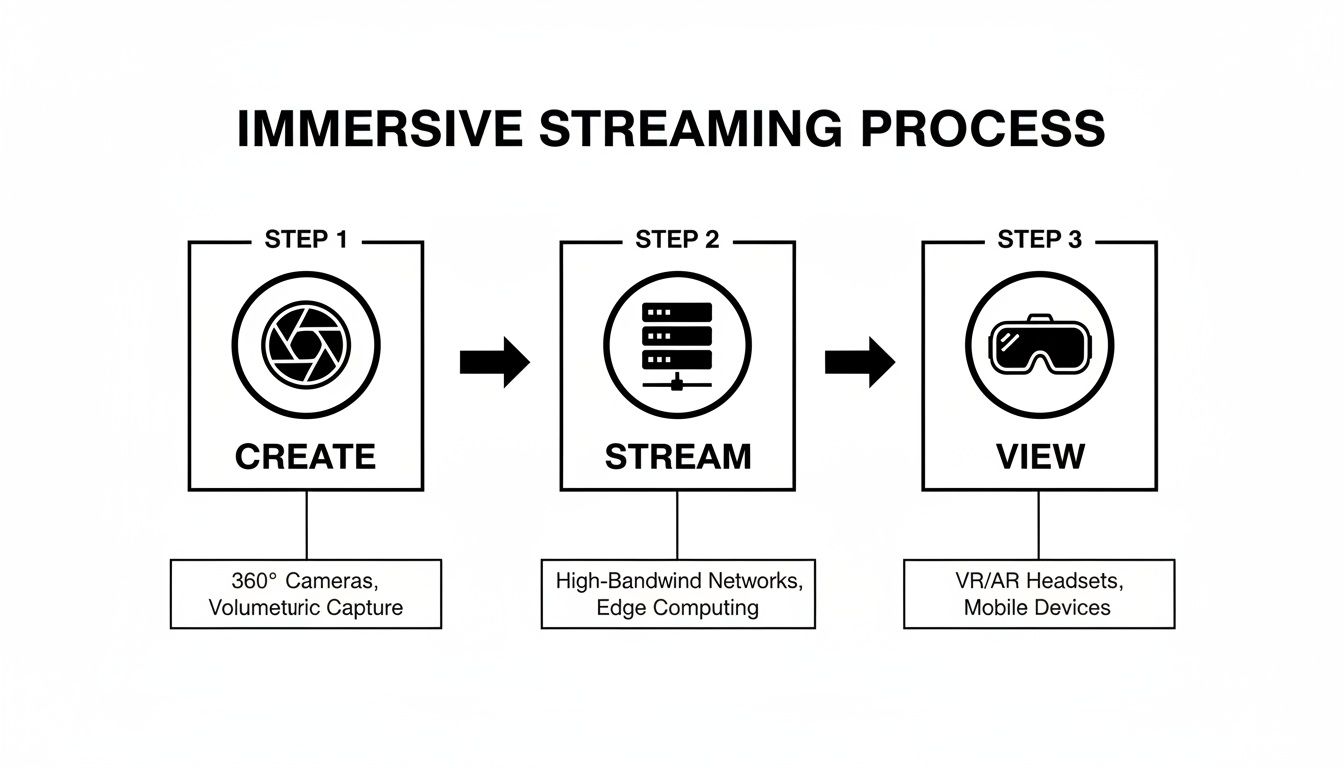
This simple flow shows how the creator's hardware, the platform's servers, and the viewer's headset all link up to deliver that immersive experience.
Software and Environment: Taming the Feed
Hardware is only half the story. You also need the right software to manage your broadcast and a space that’s properly prepped for 360-degree filming.
Streaming Software: Most streamers, whether in 2D or VR, lean on software like OBS Studio (Open Broadcaster Software). It’s a free, powerful tool that works like a central control panel for your broadcast. It lets you manage your camera feeds, audio inputs, and any on-screen graphics before sending the final polished feed to your cam platform.
Lighting and Audio: Lighting a 360-degree room is a whole different ball game. You can’t just point a couple of lights at yourself; the entire room needs even illumination to avoid harsh shadows or dark spots where viewers can look. Audio is just as crucial. A good microphone is essential because tinny or muffled sound can instantly shatter the viewer's sense of being there with you.
The Room Itself: Finally, the room is no longer just a backdrop—it's the entire stage. Since viewers can look in any direction, the whole space is part of the show. This means you have to be meticulous about your environment, making sure it’s not only visually interesting but also completely free of personal or identifying details. You’re not just showing a corner of your room; you’re inviting people into your world.
The Viewer's Guide to Watching and Interacting in VR
So, we've covered the creator's side. Now let's flip the camera around and look at what it’s like to be in the audience. As a viewer, stepping into a VR cam show is where the experience really comes alive, shifting you from a passive observer into part of the show itself. It's a completely different way to watch, and getting started is probably easier than you think.
The whole experience boils down to your hardware. And while strapping on a headset might sound like a big leap, the options have become surprisingly user-friendly.
Choosing Your Window into the Virtual World
Your choice of VR headset is the most important decision you'll make. It’s what will define your level of immersion—and how much you’ll need to spend.
- Standalone Headsets (e.g., Meta Quest series): These are the go-to for most people, and for good reason. They're wireless, self-contained, and don't need a high-end PC to run. They may not deliver the absolute sharpest graphics, but their sheer convenience and lower price point make them a brilliant way to dip your toes in.
- PC-Based VR Headsets (e.g., Valve Index, HP Reverb): If you're chasing the best possible quality, a headset wired up to a powerful gaming PC is the only way to go. These setups offer much better resolution and smoother refresh rates, which makes the virtual world feel incredibly crisp and real. The catch? A significantly higher cost and the slight inconvenience of being physically tethered to your computer.
The UK’s virtual reality market is set to be worth £4.7 billion by 2033, a huge jump driven by this growing hunger for immersive entertainment. This growth, mostly built on the back of the gaming industry, has made mid-range headsets the most popular and accessible choice for anyone curious about VR camming. You can read more about the UK's VR market trends on imarcgroup.com.
The key takeaway is this: you don't need a top-of-the-line, thousand-pound rig to get in on the action. A modern standalone headset is more than capable of delivering that powerful feeling of presence that makes VR camming so unique.
More Than Just Watching: How Interaction Works
This is where VR leaves traditional 2D camming in the dust. You’re not just peeking through a window; you're there. You can interact with the environment and the performer in ways a simple chat box could never replicate.
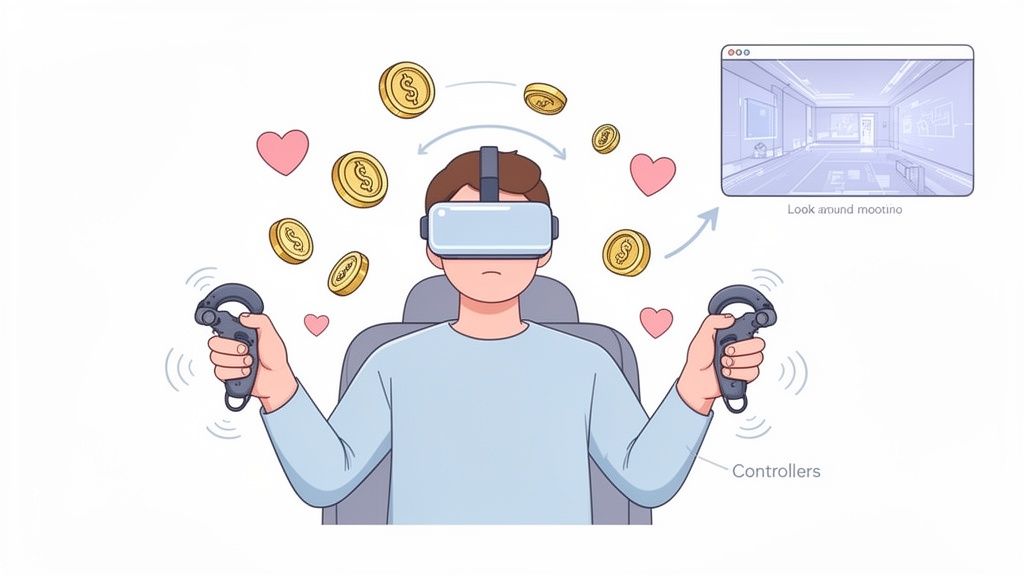
Your VR controllers effectively become your hands inside the virtual space. They let you move around, but their real magic is in creating a genuine two-way connection. Platforms have come up with all sorts of creative features built around this idea.
For instance, tipping a model with tokens is no longer just a number changing on a screen. In VR, that tip might translate into you physically making it rain with virtual currency or placing a virtual gift right on their table. Some platforms push this even further, linking tips to changes in the environment or even triggering haptic feedback devices.
This completely changes the dynamic. Instead of just typing messages from the sidelines, you're right there, directly influencing the show. This active role is the essence of how VR camming works from the viewer's side, creating a shared moment that feels far more personal and immediate than anything a flat screen can offer. It’s the difference between sending a text and having a face-to-face conversation.
The Business Side of VR Camming
Right, let's talk money. The tech is incredible, but if you're a creator, you have to treat this as a business. It’s vital to understand how VR camming actually generates income, because you’re not just tweaking an old formula—you’re monetising a whole new level of intimacy.
The financial engine behind VR is powered by the same things as traditional camming: a blend of tips, private shows, and selling exclusive content. The big difference, though, is the price tag. VR experiences command a premium because they sell something far more powerful than a video stream. They sell presence.
Why VR Can Charge So Much More
Think about it. When a viewer puts on a headset, they aren't just watching you on a screen; they feel like they’re right there in the room with you. This feeling of actually being there is an intense, exclusive experience that justifies a much higher cost.
It’s the difference between watching a film star on TV versus paying for a private meet-and-greet. One is a passive experience for the masses, while the other feels personal, immediate, and real. That simulated shared reality is the unique product you're selling, and it’s why you can set your rates significantly higher than for a standard 2D show.
A Breakdown of How You'll Earn
While the ways to make money might sound familiar, they feel completely different inside a virtual world. As a creator, you have to rethink how these models work in a 360-degree space where the viewer is an active participant, not just a passive observer.
Here’s a look at the most common ways to monetise your VR streams, and how they function in practice.
Potential VR Earning Models Explained
| Earning Model | How It Works in VR | Best For |
|---|---|---|
| Token Tips | Viewers tip to trigger virtual events, like making it rain virtual cash or changing the room's lighting. The interaction is tangible and immediate. | Driving engagement and interaction in public, multi-viewer streams. |
| Private Shows | This is the ultimate premium offering: a one-on-one session where the viewer has your full attention in a shared virtual space. | Maximising your income per hour with high-paying clients who want a completely exclusive, immersive experience. |
| Exclusive Content | Pre-recorded VR videos or 360-degree photo sets that you can sell directly or offer as part of a subscription package. | Creating a recurring revenue stream and catering to fans who can't make it to your live shows. |
| Subscriptions | Fans pay a monthly fee for access to a library of VR content, special live shows, or other unique perks. | Building a loyal community of supporters and securing a more predictable, stable monthly income. |
At the end of the day, it's a straightforward trade.
You are exchanging unparalleled access and a feeling of genuine presence for a higher financial commitment from the viewer. This is the central bargain of the VR creator economy.
The Less Glamorous Financial Realities
Of course, it’s not all premium rates and virtual cash. The practical side of the business needs careful planning. First up, the hardware. A VR-ready PC and a quality 360-degree camera can easily set you back thousands of pounds. This initial investment is a much bigger hurdle than what's needed for traditional camming.
On top of that, the platforms that host your streams need to take their cut. Commission rates vary wildly from site to site, but it's common for platforms to take anywhere from 20% to 50% of a creator's earnings. This fee covers their payment processing, massive bandwidth costs for VR, and site moderation. You can get the full story in our detailed guide on how cam platforms make money.
Finally, getting your hands on your money means dealing with the platform's payout system. Most sites have a minimum amount you need to earn before you can cash out, and they typically process payments on a weekly or bi-weekly schedule. To be truly successful, you need to balance the high earning potential against these very real costs and admin tasks. It absolutely requires a business mindset from day one.
Safety and Privacy in an Immersive Virtual World
Let's be blunt. Inviting people into a live, 360-degree view of your personal space is a massive privacy risk. We're not just talking about standard online safety here; VR camming presents unique challenges that demand a serious, proactive approach to protecting yourself. Get this wrong, and the consequences can be devastating.
When you're broadcasting your entire room, every single detail is on display. A forgotten piece of post on a side table, a reflection in a window, or even a distinctive poster on the wall can be pieced together by someone with enough determination. Protecting your identity and location is paramount, and that work starts long before you ever hit the 'go live' button.
Sanitising Your Physical Space: A Checklist
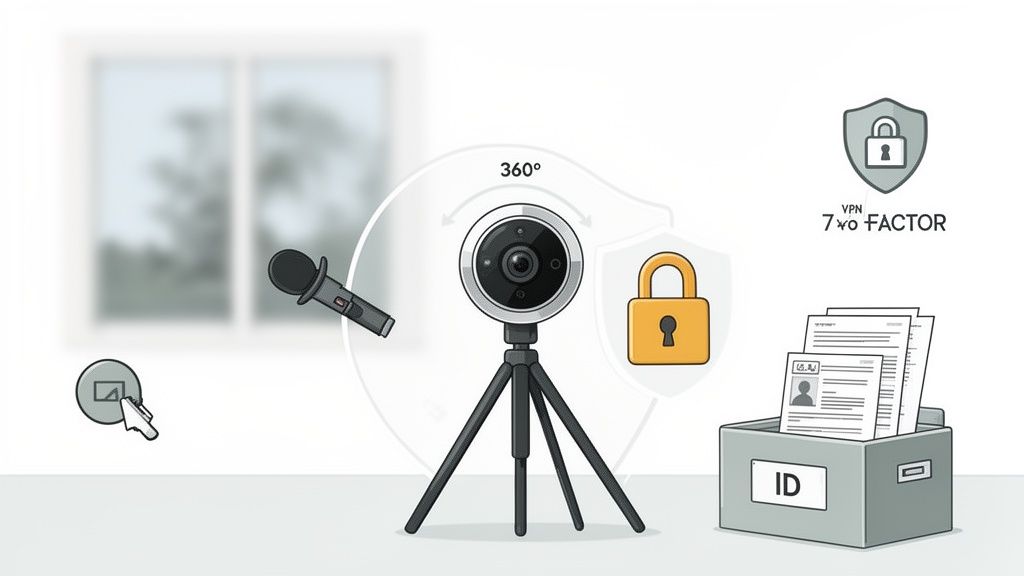
Before you even think about setting up your camera, you need to 'sanitise' your environment. This means meticulously scrubbing your performance area of anything that could possibly identify you or your location. Your room is no longer just a room; it’s a film set, and you are the set designer.
Run through this checklist every single time you prepare to stream. No exceptions.
- Remove Personal Items: Take down photos, certificates, and any post or documents. A stray Amazon parcel with your address visible is a critical failure.
- Check Reflections: Hunt for reflections in mirrors, windows, or even the shiny surfaces of your tech. These can reveal parts of the room you thought were hidden or, worse, your own face if you're trying to remain anonymous.
- Obscure Windows: Ensure any windows are completely covered with thick blinds or curtains. Viewers shouldn't be able to see outside, as landmarks or even the general weather can help pinpoint a location.
- Generic Decor: Use neutral, non-descript furniture and decorations. A one-of-a-kind piece of art from a local gallery is much easier to trace than a generic lamp from IKEA.
Think of it like building a sterile environment. The goal is to create a space that could be anywhere, belonging to anyone. It’s a tedious but non-negotiable part of the job.
Digital Defences for Creators and Viewers
Your physical space is only half the battle. Your digital footprint is just as vulnerable, and the same rules of online security apply here, only the stakes are much higher. This goes for both creators and the viewers who support them.
For creators, your voice is a huge identifier. It can be recorded, analysed, and potentially used to find other content you've created online. Some performers use voice modulation software to alter their pitch and tone, adding another crucial layer of separation between their streaming persona and their real life.
Similarly, digital avatars and background masking tools are becoming more common. These technologies allow a creator to broadcast from a virtual environment, completely replacing their physical room with a digital one and mapping their movements onto an avatar. While this solves the room sanitisation problem, it requires even more powerful hardware to pull off smoothly.
For everyone involved—creator or viewer—basic digital hygiene is essential. Using a reputable VPN to mask your IP address, activating two-factor authentication on all your accounts, and using secure, anonymous payment methods are not optional extras; they are the absolute baseline for safe participation.
The Legal Landscape in the UK
Finally, it's vital to get your head around the legal framework, especially here in the UK. The Online Safety Act has placed significant responsibilities on platforms to protect their users, particularly from illegal content and harm to children. This has massive implications for how VR camming works from a compliance perspective.
Robust age verification is no longer just a 'good idea' for platforms; it's a legal necessity. For creators, this means providing official identification to the platform to prove you are over 18. For viewers, it means a platform must take reasonable measures to verify you are also of legal age before granting access to adult content.
These systems are in place not to be an inconvenience, but to ensure the entire ecosystem operates within the law, protecting both the people on camera and those watching. Ignoring these legal realities is a surefire way to get de-platformed or, in serious cases, face legal consequences. Safety, privacy, and legality are the three pillars that support a sustainable career in this field.
Common Myths and the Grounded Reality of VR Camming
It’s easy to get swept up in the futuristic promise of VR camming. The hype often paints a picture that doesn’t quite match the day-to-day reality. For anyone thinking of diving in, whether as a creator or a viewer, it's vital to separate what you’ve heard from how it actually works.
Let’s clear the air and take a look at what this world is really like, beyond the slick marketing.
Myth 1: It's Just Regular Camming with a Fancy Headset
This is probably the biggest misunderstanding out there. People assume VR is just a simple tech upgrade, like swapping a 1080p webcam for a 4K one. The reality is that it's a completely different medium, one that demands a new set of skills and a much, much higher tolerance for technical headaches.
A traditional cam show is a performance for a camera. A VR broadcast is about creating and managing an entire environment. You're not just a performer; you're also a technician, a set designer, and a director, all at once. The physical and mental energy it takes to manage a 360-degree space while interacting with a virtual audience is far more draining than a standard 2D stream.
Myth 2: You Need a Hollywood Budget to Start
This one is a half-truth. No, you don't need a multi-million-pound studio. But the idea that you can jump in with a cheap camera and an old laptop is a recipe for disaster. Getting a VR stream to look good is a significant investment.
There are definitely entry points. A solid standalone 180-degree camera and a powerful, modern PC can get you in the game. But be warned, the costs add up fast.
- PC Power: A high-end graphics card alone can set you back over £1,000.
- VR Cameras: Decent models start in the hundreds but can easily climb into the thousands for pro-grade quality.
- The Rest: Good lighting, proper audio gear, and a fast, stable internet connection are all non-negotiable expenses.
It’s less a Hollywood budget and more like a serious small business start-up cost. Quality is a real investment here, and cutting corners will result in a glitchy, unwatchable stream that sends viewers packing.
Myth 3: It's a Guaranteed Way to Make a Fortune
This is perhaps the most dangerous myth of all. The idea that VR is some untapped goldmine where anyone can make a fortune overnight is pure fantasy. While the potential earnings are high thanks to premium rates, the market is an incredibly demanding and competitive niche.
Success in VR camming isn’t just about the technology. It requires a specific blend of performance skill, marketing savvy, technical proficiency, and a relentless work ethic to build an audience willing to pay those premium prices.
The audience for VR is still much smaller than for traditional camming. You’re competing for a limited pool of viewers who have both the right hardware and the disposable income. It’s not an easy path to riches; it’s a highly specialised field that rewards a very particular type of creator who is willing to put in an immense amount of work.
The truth is, like any creative industry, a few do exceptionally well while many others struggle to make it a viable career.
FAQs: Your VR Camming Questions Answered
It's a complex world with a lot of moving parts, so it's natural to still have questions. Let's tackle some of the most common ones that come up when people are trying to understand how this all works in the real world.
What Kind of Internet Speed Do I Really Need to Stream in VR?
You'll need a seriously beefy connection. We're not talking about your average HD Netflix stream here. A standard 2D webcam might just need a 5-10 Mbps upload speed, but for a smooth 4K or 5K VR stream, you’re looking at a sustained upload of at least 25-40 Mbps. Anything less and your viewers will be stuck watching a pixelated, buffering mess. Always run a speed test to see what you're actually getting, not just the number on your bill.
Can I Do This Without Showing My Face?
Of course. In fact, many successful creators make anonymity a core part of their brand. You have plenty of creative options, from wearing elaborate masks or using dramatic lighting to keep your face in shadow. Some even go fully digital, using a V-Tuber avatar that tracks their body movements without revealing their real identity.
Just a heads-up for anyone using a 360-degree camera: you have to be extra careful. A simple reflection in a window, a mirror, or even a shiny picture frame can give you away instantly. Think through your entire environment before going live.
How Can I Spot a Dodgy VR Platform?
The warning signs are usually hiding in plain sight. Be very sceptical of any platform that's cagey about its payment terms or commission rates. If you can't easily find out how and when you get paid, that's a massive red flag.
Other things to watch out for include a weak (or non-existent) content moderation policy and flimsy age verification systems for both creators and users. In the UK, proper identity checks are a legal requirement. A legitimate platform will be upfront and transparent about its rules, fees, and how it keeps its community safe.
Is There a Huge Difference Between 180 and 360 Degrees?
From the viewer's perspective, it's a game-changer. A 180-degree stream is like sitting in the best seat in the house—it gives you a wide, panoramic view of everything in front of you. It's immersive, but you're still looking forward.
A full 360-degree stream, on the other hand, puts you right in the centre of the action. You can physically turn your head and see what’s behind you, above you, and all around. While 180-degree is a fantastic step up from 2D, that true 360-degree experience is what really sells the feeling of being there.