

Let's be honest—relying on just a password to protect your online accounts is like using a garden gate to secure a fortress. For anyone building a career online, especially in the webcam and creator space, that single password is a weak point just waiting to be exploited. This is where two-factor authentication (2FA) apps come in, adding a much-needed deadbolt to your digital door.
Why Your Password Isn't Enough
Imagine your creator account, social media profiles, and payment platforms as your digital business headquarters. A password-only setup is like leaving the keys to the building under the doormat. It might feel convenient, but you're banking on nobody with bad intentions ever checking there.
These aren't just casual accounts; they're the foundation of your livelihood. They house your earnings, exclusive content, personal data, and the hard-earned trust of your audience. To a cybercriminal, that’s a goldmine ripe for the picking.
The Real-World Risks for Creators and Fans
For those in the know, getting past a simple password can be surprisingly straightforward. Passwords are leaked in massive data breaches constantly, and stolen credentials are a hot commodity on the dark web. Once a malicious actor gets hold of your password, the damage can be swift and severe:
- Stealing your earnings: They can quietly change your payment details, redirecting your income straight into their own pockets.
- Leaking private content: Exclusive photos, videos, and private DMs can be copied and spread online, causing devastating personal and professional harm.
- Impersonating you to scam others: They can pose as you to defraud your followers, destroy your reputation, or even try to ransom your account back to you.
- Locking you out for good: By changing the password and associated recovery email, they can effectively steal your digital identity.
This isn't about fear-mongering; it's about understanding the reality of the situation. Your online presence has real value, and that makes it a target.
Two-factor authentication has moved from being a 'nice-to-have' feature to an absolute essential. It’s the single most powerful step you can take to safeguard your income, your privacy, and your career.
Going Beyond the Password
Thankfully, locking things down is simpler than you might think. This is exactly what two-factor authentication (2FA) is designed for. It demands a second proof of identity—something only you possess—before anyone can log in. So, even if a thief manages to get your password, they're stopped cold at the next step because they don't have that second "factor."
It's a security measure that's gaining serious traction. In the UK, for example, 56% of organisations have now implemented 2FA, putting them ahead of many other countries like the US and Japan. These two-factor authentication statistics show a clear shift towards stronger security. This isn't just a trend for big companies; it’s a crucial practice every creator needs to embrace to protect their business. We’re not here to just talk theory—we’re here to give you practical advice to secure your future.
Understanding Your 2FA Choices
Not all two-factor authentication is created equal. Think of it like choosing a lock for your studio door. Are you going to settle for a cheap, flimsy lock from a pound shop, or invest in a proper high-security deadbolt? Both are technically locks, but one is far more likely to stop someone determined to get in.
The same logic applies to the two factor authentication apps and methods you can choose from. They range from 'better than nothing' to 'practically unbreakable'. Let's break down what's out there.
The Good, The Bad, and The Ugly of 2FA Methods
The most common method you'll encounter is the simple SMS code. A platform texts you a six-digit number, you type it in, and you're logged in. Simple, right? Unfortunately, that simplicity is also its greatest weakness.
SMS codes are dangerously vulnerable to an attack called SIM swapping. This is where a scammer tricks your mobile provider (like EE, O2, or Vodafone) into moving your phone number over to a new SIM card that they control. Suddenly, they're getting your 2FA codes, resetting your passwords, and locking you out of everything—your creator accounts, your bank, your email. For a public figure like a successful streamer, whose personal details can often be pieced together from online sources, this is a very real threat.
Slightly up the security ladder are email codes. These are a bit better than SMS as they aren't tied directly to your phone number, but they have their own glaring issue. If your email account itself gets compromised, it's game over. Since many people reuse passwords across different services, a single data breach could give an attacker the keys to both your main account and its recovery method. It's an improvement, but still not what I'd call iron-clad.
The Gold Standard: Authenticator Apps
This brings us to the best option for almost everyone: two factor authentication apps. These are dedicated apps on your phone or computer—like Google Authenticator, Microsoft Authenticator, or Authy—that generate unique, time-sensitive codes.
These apps use a system called Time-based One-Time Password (TOTP). When you first set it up, your account and the app share a secret key, usually by you scanning a QR code. From that moment on, the app uses that secret and the current time to generate a fresh six-digit code every 30 seconds.
Because the code is generated entirely on your device and is never sent over a network, it can't be intercepted like an SMS message. It’s a self-contained security system right in your pocket, making it the superior choice for protecting your most valuable accounts.
The infographic below really drives home the security difference between relying on a password alone versus adding that crucial second layer.
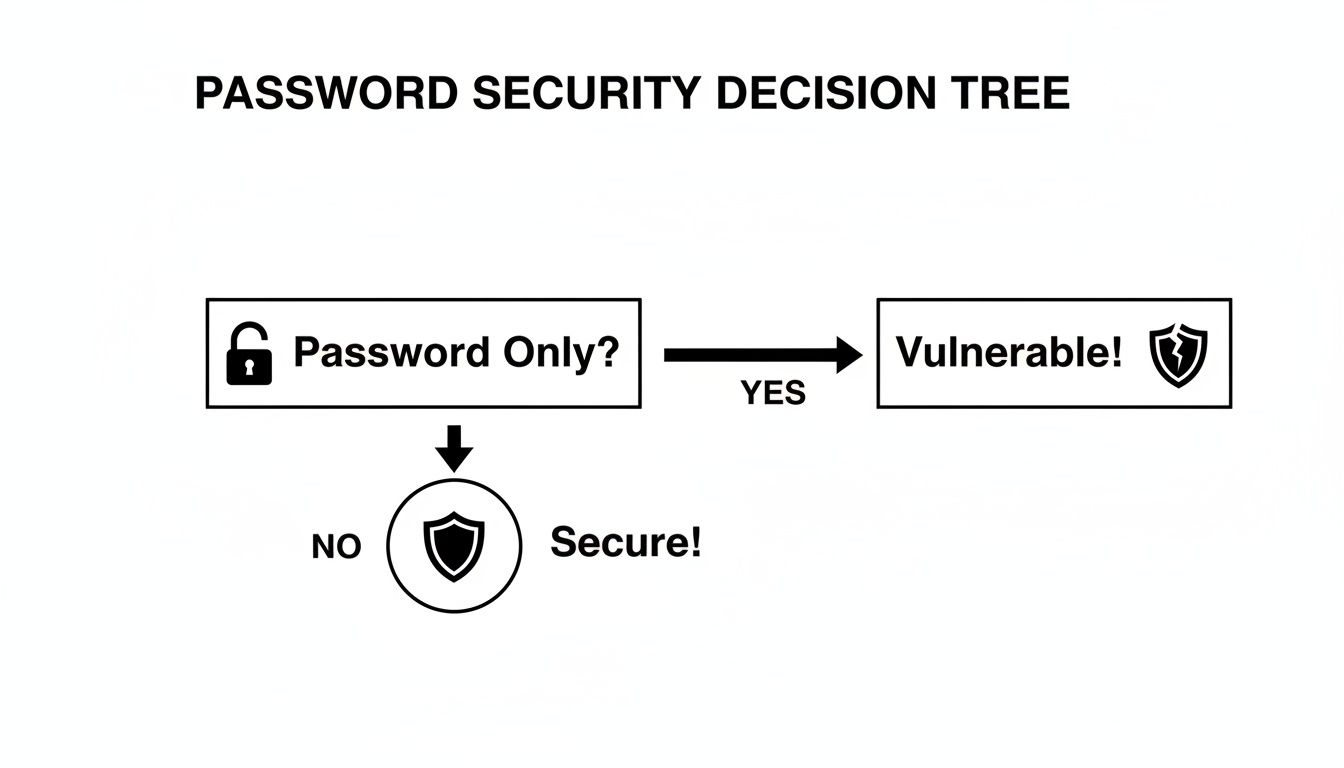
As you can see, simply adding any second factor instantly shifts your account from 'vulnerable' to 'secure'. It's a small step that makes a huge difference.
Comparing Common 2FA Methods
To help you decide, here's a quick-glance comparison of the most popular two-factor authentication methods. This table lays out their security levels, convenience, and the specific risks you should be aware of, especially as a creator or fan.
| Method | How It Works | Security Level | Best For |
|---|---|---|---|
| SMS/Text Message | A 6-digit code is sent to your phone via text. | Low | Low-risk accounts where convenience is the top priority. Not recommended for primary income sources. |
| Email Confirmation | A login link or code is sent to your email address. | Low-Medium | Better than SMS, but only if your email account itself has a very strong, unique password and 2FA enabled. |
| Authenticator App (TOTP) | An app on your phone generates a new code every 30 seconds. | High | The recommended standard for all important accounts, especially creator platforms, banks, and primary email. |
| Push Notification | The service sends a notification to your phone for you to approve or deny. | High | Very convenient and secure. Often integrated into authenticator apps like Microsoft Authenticator or Authy. |
| Hardware Key (FIDO2) | A physical USB or NFC device (like a YubiKey) that you tap to approve logins. | Very High | The ultimate in security. Ideal for protecting high-value assets and for those at high risk of targeted attacks. |
Ultimately, choosing the right method comes down to your personal threat model. If you're just protecting a fan account with no payment info attached, SMS might be an acceptable risk. But if you’re securing an account that generates a six-figure income stream, you need the deadbolt, not the flimsy gate latch.
Using a proper authenticator app is a non-negotiable part of operating as a professional creator. This level of security is as fundamental as the identity checks required by platforms. In fact, to learn more about that essential process, you can read our guide on how an age verification app works—it’s another key piece of the modern creator's safety toolkit.
How to Set Up Your First Authenticator App
Right, enough talk. Let’s get our hands dirty and actually set up one of these two-factor authentication apps. Don't worry, this isn't some complex bit of tech wizardry. If you can order a takeaway on your phone, you can absolutely do this. We'll have your digital fortress secured in less than five minutes.
First thing’s first, you need to grab a trusted authenticator app from your phone's app store. There are plenty of good options out there, but a couple stand out for being reliable and dead simple to use:
- Google Authenticator: This is the no-frills, does-what-it-says-on-the-tin option. It's incredibly straightforward, which is its main strength. It just works.
- Authy: This one has a huge advantage—encrypted cloud backups. This means if you lose or replace your phone, you can get your 2FA accounts back without a massive headache. For any professional creator, that feature alone can be a real lifesaver.
Grab one of these from the Apple App Store or Google Play Store. For this guide, we'll walk through the general process that applies to both.
The Five-Minute Setup
Once you've got your app installed, the setup is surprisingly similar across most websites, whether it's your streaming platform, email, or social media accounts.
Find the Security Settings: Log into the account you want to protect. Have a dig around in your account settings for a section called "Security," "Login & Security," or "Two-Factor Authentication." It's usually tucked away in your main profile menu.
Start the 2FA Process: When you find the option to enable 2FA, the site will probably ask you to pick a method. You'll want to ignore the SMS option we talked about earlier and choose "Authenticator App" or "Authentication App." This is where the magic happens.
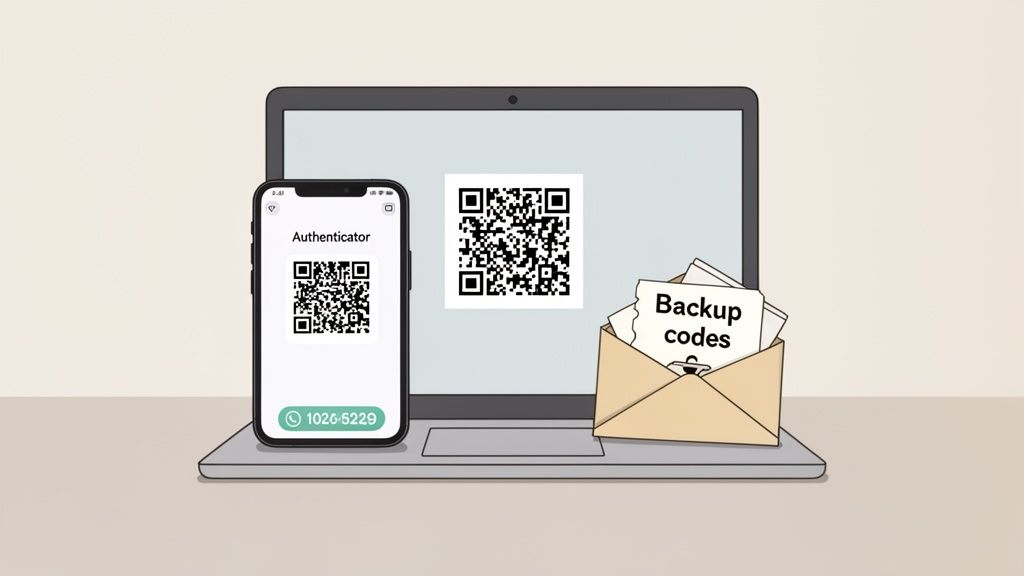
Scan the QR Code: The website will now show you a square, black-and-white pattern on your screen—that's a QR code. Open the authenticator app on your phone, tap the "+" button to add a new account, and just point your phone's camera at the QR code. The app will instantly recognise it and add the account.
And that's pretty much it for the main setup. You’ll now see your new account listed right there in the app, with a six-digit code that changes every 30 seconds.
The Most Important Step Everyone Skips
Hold on! Before you click "Done" or close that tab, the website will show you a set of backup codes. This is, without a doubt, the single most critical part of the entire process. Do not skip this step.
Think of these backup codes as the spare key to your digital fortress. If you ever lose your phone or it breaks, these codes are the only way you'll get back into your account without having to go, cap in hand, to a support team for help.
Write them down and store them somewhere incredibly safe and, crucially, offline. Please don't save them in a text file on your desktop or in your email drafts. Here are a few real-world ideas:
- Tuck a printed copy inside a book on your shelf.
- Keep them in a sealed envelope in a secure drawer.
- Store them in a dedicated password manager like 1Password or Bitwarden, which should also be protected by 2FA.
Once you have securely saved your backup codes, then you can finish the setup process.
From now on, the next time you log in, after you enter your password, you'll be prompted to enter the six-digit code from your authenticator app. It really is that simple. You’ve just added a professional-grade lock to your account, making it dramatically harder for anyone else to get in.
The Critical Importance of Backups and Recovery
Let’s tackle the number one fear that stops people from using two factor authentication apps: the cold-sweat panic of, “What happens if I lose or break my phone?” It’s a completely fair question. If your phone is your only key, losing it feels like being permanently locked out of your own business.
This is why thinking ahead about backups and recovery isn't just a good idea—it's an essential part of a professional security plan. Putting all your security eggs in one basket, whether it's your phone or a single password, is a rookie mistake. A real pro always has a contingency plan.
Your ‘Break Glass in Case of Emergency’ Plan
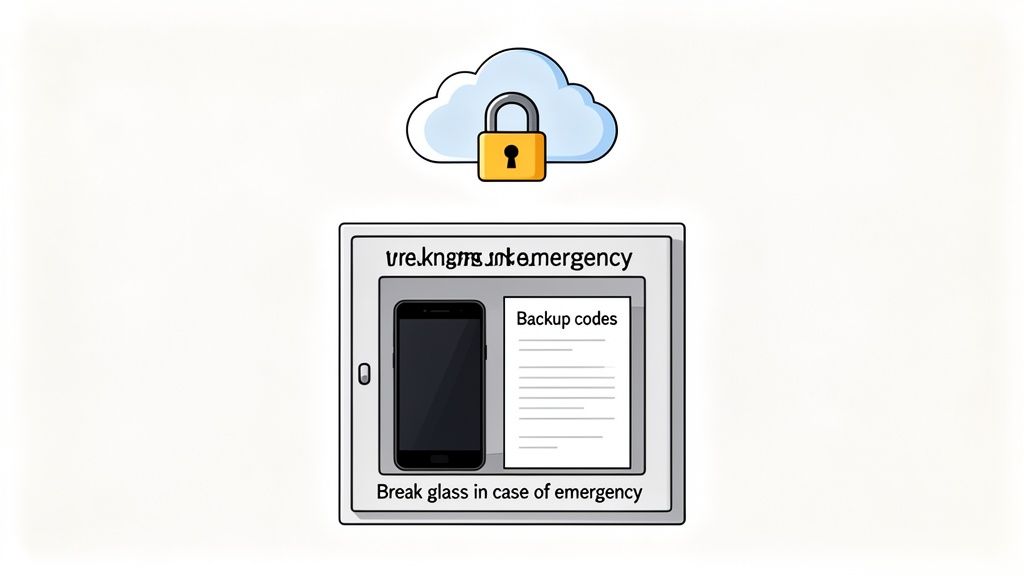
The good news is that preventing a lockout is straightforward. It all comes down to having a 'Plan B' ready before disaster strikes. The goal is to sidestep that heart-stopping moment where you’re staring at a login screen, completely cut off from your earnings, your content, and your audience.
There are a few core pillars to a solid 2FA recovery strategy. Think of them as your lifelines.
1. Actually Use Those Backup Codes
Remember those recovery codes we talked about in the last section? The ones you were supposed to save somewhere safe? This is their moment to shine.
If your phone gets run over by a lorry or takes an unfortunate swim, these codes are your master key. They let you bypass the authenticator app and regain access to your account, so you can set up 2FA on a new device.
Treat them like a digital last will and testament. They are worthless until the day they become the most valuable thing you own. Don’t be that person frantically tearing their house apart looking for a code they vaguely remember seeing. Save them properly from day one.
2. Choose an App with Cloud Backup
Not all two factor authentication apps are created equal when it comes to recovery. A basic app like Google Authenticator works great, but it traditionally stores your keys locally on your device. If that device is gone, so are your keys.
This is where an app like Authy really proves its worth. It offers an encrypted cloud backup feature. When you set up Authy, you create a special backup password. If you get a new phone, you simply install the app, enter your phone number and backup password, and voilà—all your 2FA accounts are automatically restored. It turns a potential crisis into a minor inconvenience. For any creator whose income depends on constant access, this feature is a non-negotiable lifesaver.
Migrating to a New Device Smoothly
Getting a new phone is exciting, but it can also be a source of major anxiety if you haven't planned your 2FA migration. Thankfully, the process is simple if you prepare.
With a cloud-sync app like Authy:
- Install Authy on your new phone.
- Verify your phone number.
- Enter your backup password.
- Your accounts will sync automatically. You can then remove the old device from your Authy account settings.
With a local app like Google Authenticator:
- Before wiping your old phone, open Google Authenticator.
- Go to the menu and select "Transfer accounts."
- Choose "Export accounts" and select the ones you want to move.
- On your new phone, install the app, choose "Transfer accounts," and then "Import accounts."
- Scan the QR code displayed on your old phone's screen with your new phone.
If you don’t have access to your old phone for this, you’ll have to fall back on those trusty backup codes you saved. See how it all connects? A little foresight prevents a world of panic and ensures you never lose control over the accounts that power your career.
Advanced Security for Professional Creators
When you’re first starting out, basic security probably feels like more than enough. But once your creator account goes from a fun side hustle to your main source of income, the game completely changes. You’re not just a person online anymore; you’re a business, and your threat level has scaled up accordingly. It's time to start thinking like one.
This is the point where you should look beyond standard two-factor authentication apps and consider a higher tier of protection. As your profile grows, so does the risk of targeted attacks. We’re not talking about random bots guessing passwords here. These are organised efforts to compromise high-value accounts—and if you’re making serious money, your account is definitely high-value.
Upgrading to Hardware Security Keys
When you need to protect your digital career with the same seriousness you’d use for a physical vault, it's time to graduate to hardware security keys. These are small, physical devices that often look like a USB stick. You’ve probably heard of the most popular ones, like the YubiKey, which really lead the market. Right now, they represent the pinnacle of personal account security.
Instead of fiddling with an app and typing in a code, you just pop the key into a USB port or tap it on your phone (using NFC) to approve a login. It’s incredibly quick and convenient, but the real magic is what happens behind the scenes.
A hardware key uses a form of public-key cryptography that makes your login virtually un-phishable. It confirms you are on the correct website before it even tries to authenticate you, which makes it immune to the fake login pages used in even the most sophisticated phishing scams.
This makes it nearly bulletproof against the most common ways high-profile accounts get hacked. Even if an attacker tricks you into typing your password on a perfect clone of your streaming platform’s login page, the hardware key will simply refuse to work because it recognises the site is a fake.
When Does It Make Sense to Invest?
A hardware security key isn't for everyone. It's a business expense, and you need to weigh the cost against the risk. You should strongly consider getting one if:
- You earn a significant portion of your income from a single platform.
- You have a large, public-facing brand that could be an attractive target.
- Your accounts contain highly sensitive private content or messages.
- You frequently log in from different locations or on public Wi-Fi.
This kind of advanced security is becoming more important as cyber threats get smarter. The demand for strong authentication is growing fast, with the UK's two-factor authentication market projected to grow by over 10% through 2027. For creators, this trend highlights the importance of staying ahead; after all, 2FA is proven to block 99.9% of automated attacks, a vital defence in a country that sees millions of phishing attempts. You can learn more about these multi-factor authentication market trends to see the bigger picture.
Adopting a hardware key is all about future-proofing your career. It’s a clear sign that you take your business seriously, protecting both your brand and your bank balance from sophisticated threats. This level of care fits right in with other professional habits, like understanding the UK cam site verification process, to build a resilient and long-lasting career.
How Good Security Builds Trust with Your Audience
Let's bring this all together. Getting your security sorted, especially by using two-factor authentication apps, isn't just about protecting yourself from a nasty surprise. It’s a powerful way to show your audience you’re a professional who takes their business—and their support—seriously.
Think about it from your fans' perspective. When they see you and the platforms you use are locked down, it creates a real sense of trust. This is absolutely crucial when they’re about to spend their hard-earned money on tokens or a private show. They need to feel confident their payment details are safe and they're interacting with the real you, not an imposter.
Professionalism Is More Than Just Performance
In this industry, your reputation is everything. When you take visible steps to secure your accounts, it tells everyone that you’re not just a performer; you're running a business. It shows you value the online space you've built and, just as importantly, you respect the community that helps you thrive.
This level of professionalism directly affects your income. An audience that feels secure is far more likely to:
- Spend confidently: Knowing their financial information is protected removes that moment of hesitation before they buy tokens or subscribe.
- Engage more deeply: Trust makes fans feel more comfortable investing their time and energy into your community.
- Stay loyal: A secure, professionally run channel is the foundation for long-term loyalty, which is what builds a sustainable career.
Security as a Clear Signal of Trust
Your audience’s perception of your security really does shape how much they're willing to engage. This isn't just a feeling, either. A recent study found that a massive 67% of people in the UK believe that a service using multi-factor authentication shows a genuine commitment to protecting their data. For your fans, seeing strong security measures is a clear sign that their payments and privacy are being taken seriously. You can find more on these multi-factor authentication insights to see just how much this matters.
Ultimately, robust security becomes part of your brand. It communicates reliability, stability, and respect for your audience—qualities that separate fleeting creators from those with lasting careers.
Protecting your digital life isn’t just about dodging a disaster. It’s an active investment in the health of your business and the trust you share with your audience. And when you handle your security professionally, you'll find it makes managing your finances a lot smoother, too. Our guide on how to avoid payout delays on cam sites explains how a secure, well-organised account is vital for a reliable income.
By locking down your accounts with the best tools, you’re not just protecting what you've already built; you’re building a more profitable and respected future.
Frequently Asked Questions About 2FA
We’ve covered a lot of ground, but you might still have a few questions rattling around. Let's tackle some of the most common ones to clear up any lingering confusion about using two-factor authentication apps.
Can I Use One Authenticator App for All My Accounts?
You absolutely can, and frankly, you should. The whole point of a good authenticator app like Authy or Microsoft Authenticator is to act as a single, secure hub for all your accounts.
Think of it as your digital keychain. Instead of fumbling around with different security methods for your streaming platform, email, and social media, you just open one app. It’s cleaner, simpler, and much easier to manage.
What Should I Do If My Backup Codes Are Lost or Stolen?
First, take a deep breath, but don't delay. If you have even the slightest suspicion that your backup codes are in the wrong hands, you need to act immediately.
Log into the account in question, using your authenticator app if you still can. Head straight to your security settings and find the option to turn off 2FA. Then, turn it right back on. This simple trick forces the system to generate a brand-new set of backup codes, which instantly makes the old, compromised set completely worthless. Be sure to store the new ones somewhere much more secure this time!
Is an Authenticator App Really More Secure Than SMS?
Yes, and the difference is night and day. SMS codes travel over the mobile phone network, leaving them open to a nasty trick called a "SIM swapping" attack. This is where a scammer tricks your mobile provider into porting your number to their device, letting them snatch your 2FA codes right out of the air.
An authenticator app creates codes directly on your phone. Nothing is sent to you, so there's nothing for an attacker to intercept. This closes the door on SIM swapping and provides a far more solid defence for your accounts.
What Happens If I Get a New Phone?
Ah, the classic question! How you handle this really depends on which of the two-factor authentication apps you've chosen to use.
- If you use an app with cloud backup like Authy: You're in luck. Just install Authy on your new device, sign in with your password, and all your accounts will magically sync over. It's the smoothest way to get back up and running.
- If you use a local-only app like Google Authenticator: This requires a bit of forward planning. Before you wipe your old phone, use the "transfer accounts" feature. This will create a QR code you can scan with your new phone to move everything across. If your old phone is already gone, this is where those backup codes become your lifeline. You'll need them to log into each account one by one and re-establish 2FA on your new device.