
When you're a creator, thinking about webcam privacy means more than just slapping a piece of tape over the lens. That's the old-school, bare-minimum approach. For anyone working in the creator economy, especially in adult streaming, real security is about building a solid wall between your online persona and your real-life identity—treating your privacy as a professional tool that protects your entire career.
Why Webcam Privacy Is More Than a Piece of Tape
Let’s be honest: the advice to "just cover your webcam" is laughably outdated. While a physical cover is a good start (and many new laptops have them built-in), it's a tiny piece of a much larger puzzle. The real game isn't just about stopping someone from watching you; it's about safeguarding the entire digital world you've built around your stream.
For anyone in the adult or influencer space, your online presence is your business. That makes your privacy a critical asset, not just a personal preference. One tiny slip-up—a street sign reflected in a window, a piece of mail on your desk, even the logo on a local takeaway bag—can be enough for someone to unravel the anonymous identity you've worked so hard to create.
The Real Risks Beyond the Lens
The dangers aren't always some dramatic Hollywood-style hacker staring back at you. More often, the threat is a slow burn—a build-up of small, seemingly harmless details that, when pieced together, can have serious consequences.
We're talking about things like:
- Doxxing: This is when someone maliciously broadcasts your private information—real name, address, phone number—to the public. It’s the endgame of a privacy breach.
- Geolocation: Viewers can become digital sleuths, using background clues like the style of a plug socket or the distant sound of a train to pinpoint your exact location.
- Identity Compromise: A leak that connects your online performer name to your legal, real-world identity can impact everything from future job prospects to personal relationships.
This isn't just scaremongering. It’s about facing the reality of a world where our online and offline lives can collide, sometimes with devastating results. Let's look at some common threats and what they actually mean for you.
Common Webcam Privacy Threats and Their Real-World Consequences
| Threat | What It Means In Practice | Potential Consequence |
|---|---|---|
| Accidental Doxing | A package with your real name and address is visible in the background of your stream for a few seconds. | A viewer screenshots it, and your personal details are posted online, leading to harassment or stalking. |
| IP Address Leak | Your true IP address is exposed through the platform or a third-party tool you're using. | Your general location (city/town) becomes public, making it easier for someone to narrow down your address. |
| Geolocation from Clues | The view from your window shows a recognisable landmark or unique building. | Determined viewers use Google Maps and Street View to find your exact building, compromising your physical safety. |
| Digital Footprint | You use the same username for your stream as you do for an old social media profile with family photos. | Someone connects the two accounts, exposing your real name, family, and personal history to your entire audience. |
| Metadata Exposure | Photos or videos you upload contain hidden data (EXIF data) showing where and when they were taken. | If you post a "behind-the-scenes" photo, you might accidentally reveal your home's GPS coordinates. |
These examples show just how easily a small oversight can escalate. A recent survey found that 77% of people in the UK are worried about their online privacy, but many feel powerless to stop breaches. This isn't just a feeling; these concerns often turn into genuine problems. You can explore more data on online privacy in the UK to get the full picture.
For a creator, a privacy breach isn't just an embarrassing moment. It's a security failure, a business risk, and a direct threat to your personal safety. True webcam privacy is about securing your entire operational environment—from your IP address to what's sitting on your desk.
Building Your Digital Fortress Before Going Live
Before you even think about hitting that ‘start stream’ button, you need to build your digital fortress. Think of it like this: you wouldn't build a house without proper foundations, and you certainly shouldn't build an online persona without a rock-solid privacy base. This is the unglamorous but absolutely essential prep work that separates the pros from those who end up as cautionary tales on forums.
The first, non-negotiable step is creating a completely separate online identity. This isn't just about picking a catchy name; it's about building an entire digital ecosystem that has zero ties to your real life. That means a brand-new email address, created only for your performer persona, that has never been used for anything else—not for Amazon, not for your old social media, nothing.
Failing to do this can have severe consequences, often starting with a seemingly small slip-up.
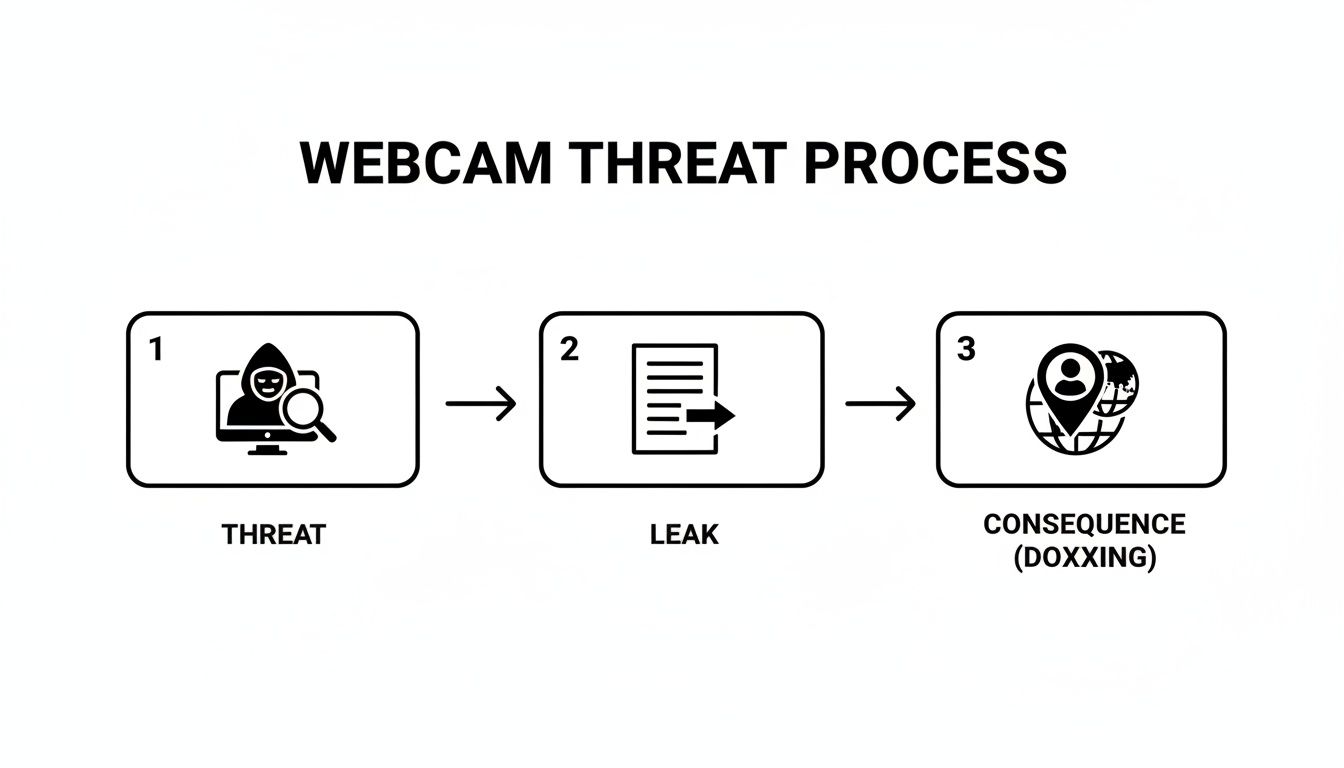
As you can see, a single threat can quickly snowball into a data leak. That leak can then lead directly to a serious outcome like doxxing, where your real-world information is exposed.
Creating Your Anonymous Persona
Your performer name and its associated accounts are your shield. Treat them with the respect they deserve. This identity needs to be completely sterile, with no connections to your personal past or present.
- Pick a unique name: Search your chosen name thoroughly. Make sure it doesn't belong to someone else and, crucially, that it isn’t similar to any of your old, forgotten usernames on other sites.
- Set up dedicated social media: If you need social accounts for promotion, create them using your new, persona-specific email. Ensure these profiles are clean slates, with no imported contacts or links to personal friends and family.
- Use a privacy-first browser: Mainstream browsers are data-hoovering machines. I'd strongly recommend using something like Brave or Firefox with enhanced privacy settings. This helps reduce tracking and browser fingerprinting—a sneaky technique that identifies you based on your browser's unique configuration.
Your online persona is your business's front door. Don't leave the keys under a doormat with your real name written on it. Every link, every 'like', every follow should be intentional and part of the character, not part of you.
Securing Your Accounts and Identity
Once your new identity is ready, it's time to lock it down. The security features on these platforms are there for a reason—use them. This is where many people get lazy, and laziness is the enemy of webcam privacy.
A strong, unique password for every single site is the absolute baseline. Don't ever reuse passwords across platforms. Get a password manager to generate and store complex passwords; your brain isn't built to remember Zg$7#pQ!9*kLwE.
Even more important is switching on two-factor authentication (2FA) everywhere you can. It means that even if someone manages to steal your password, they still can't log in without a second code, usually from an app on your phone. It’s a simple step that shuts down the vast majority of brute-force login attempts.
Navigating Platform Verification
Now for the tricky part. Most reputable platforms require ID verification to ensure you're of legal age and to handle payments. This can feel like you're handing over the keys to your real identity, but there are ways to manage it safely.
- Read the Privacy Policy: Before you upload a single thing, get familiar with how the platform stores and protects your data. A legitimate site will be transparent about its security measures. To get a better feel for this, you can learn more about how webcam sites work and their operational standards.
- Use Watermarks: When you submit a photo of your ID, think about adding a digital watermark. A simple text overlay saying, "For verification on [Platform Name] only – [Date]" can deter misuse if the data were ever to leak.
- Upload Securely: Never, ever email your ID documents. Only use the platform's official, encrypted upload portal. This makes sure the data is transmitted securely and isn't just left sitting in your sent folder.
Think of verification as a necessary but sensitive transaction. You're giving them the bare minimum to prove who you are, but you should do so with extreme caution. This careful approach, from your initial setup to day-to-day management, is the backbone of a safe and sustainable online career.
Controlling Your Physical Streaming Space
Your digital fortress is only as strong as its weakest link, and more often than not, that weak link is your physical environment. I’ve seen it time and time again; the biggest privacy breach isn't some complex hack, but something as simple as the view from a window or a half-hidden parcel on a desk. What your camera sees and your microphone picks up is a direct line to your real life, and getting that under control is non-negotiable.
This isn't about paranoia—it’s about professionalism. Every single object in your frame tells a story. That unique piece of art on the wall, a specific brand of energy drink only sold in your region, or even the design of a light switch can be a breadcrumb for a determined viewer to follow. The aim here is to create a 'neutral' space, a background that offers zero clues about who you are or where you are.
Anonymising Your Background
The simplest fix is usually the best one. Your first move should be to methodically strip your background of any personal identifiers. This means taking down photos, posters, certificates, and especially any mail or packages. Think of your streaming space as a film set; every prop should be there for a reason, and that reason should never be "it was just lying around."
A plain, neutral-coloured wall is a fantastic starting point. It’s boring, and that's exactly what you want. It gives nothing away. You can also get creative with camera angles, framing yourself against a part of the room that you've intentionally left bare.
The golden rule I always share is this: if an object can be googled, it shouldn't be in your shot. This applies to everything from local takeaway menus to university memorabilia. Your background needs to be a blank canvas.
For anyone looking for a more polished and bulletproof solution, technology offers a brilliant way out of this puzzle. Green screens, once just for Hollywood studios, are now cheap, accessible, and a streamer's best friend.
The Power of the Green Screen
Using a green screen—a technique called chroma keying—lets you completely swap out your real background for a digital image or video. This gives you absolute control over what your audience sees, making sure no real-world details can ever slip through. It’s the ultimate tool for drawing a hard line between your streaming persona and your personal life.
This is the basic idea in action—the software isolates the green colour and replaces it with whatever you choose.
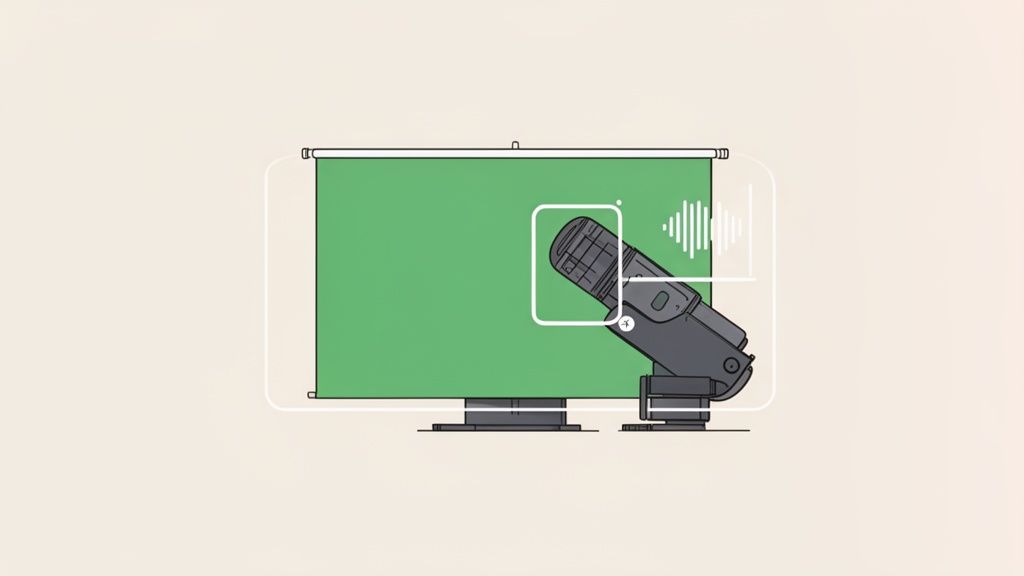
It instantly anonymises your physical location and, as a bonus, makes your stream look far more professional.
Don't Forget What Can Be Heard
Visual clues are only half the battle. Your microphone can be just as much of a snitch as your camera. Ambient sounds are a surprisingly effective way for people to geolocate you.
Think about what your mic might be picking up:
- Distinctive sirens: The sounds made by police, fire, and ambulance sirens vary significantly between cities and even different London boroughs.
- Local radio stations: If a radio is faintly audible in the background, that's a massive giveaway.
- Announcements: Sounds from a nearby train station or airport can narrow down your location with alarming accuracy.
To fight this, invest in a good quality directional microphone. These are designed to focus on your voice and filter out a lot of that distracting background noise. Soundproofing materials, even something as simple as heavy curtains or a few acoustic foam panels, can also make a huge difference in creating an auditory void.
Remember, your physical security extends beyond the walls of your room. The UK is one of the most surveilled countries in the world. This just reinforces the need for a completely sterile streaming environment that offers no starting point for that kind of investigation. You can read more about the scale of UK surveillance to get the full picture.
Managing Your Hardware and Software Security
Let's get into the nuts and bolts of the tech you use every day. Your webcam privacy isn’t just about what’s behind you; it’s about the very tools that put you on screen. Your hardware and software can either be your strongest allies or your most catastrophic weak points. This isn't about becoming an IT expert overnight—it's about understanding a few key principles to prevent your own gear from betraying you.
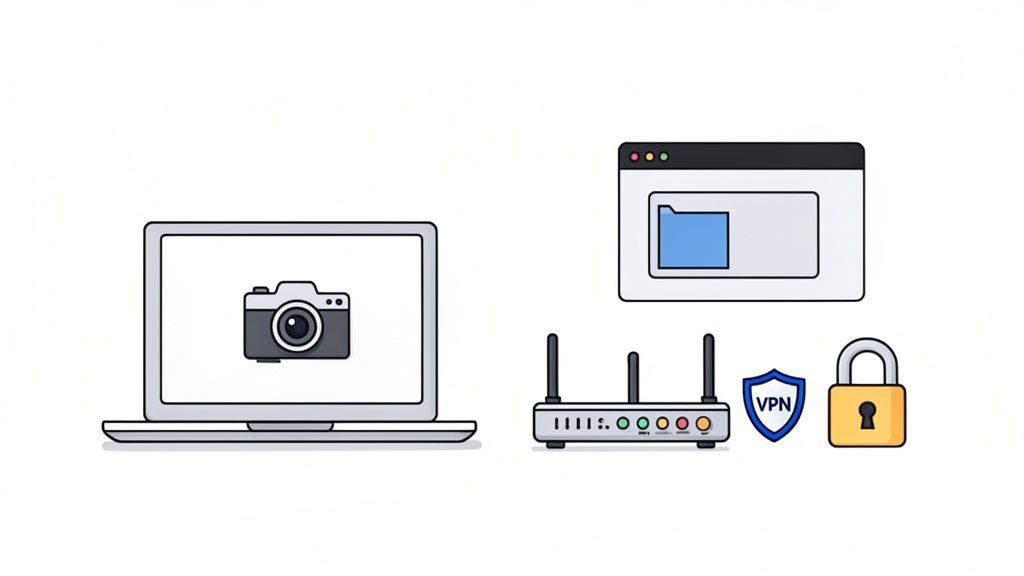
A classic rookie error is assuming that as long as your face is in the frame, everything else is hidden. That's a dangerous misconception. Streaming software is powerful, but one wrong click can share your entire desktop, revealing everything from personal file names to saved passwords in your browser.
Locking Down Your Streaming Software
Popular tools like OBS (Open Broadcaster Software) give you granular control, which is both a blessing and a curse. You can create complex scenes with multiple sources, but it’s frighteningly easy to accidentally include the wrong one.
Your absolute number one rule should be to never stream your entire desktop. Instead, always use a ‘Window Capture’ or ‘Game Capture’ source. This tells the software to only show one specific application—like your browser window with the streaming site—and nothing else. If you alt-tab to check your emails, your audience won't see a thing.
A simple pre-flight check before you go live can save you a world of trouble:
- Source Specificity: Are you capturing a specific window, or are you broadcasting your whole screen? Double-check this every single time.
- Notification Lockdown: Turn on your operating system's 'Do Not Disturb' or 'Focus' mode. This prevents pop-up notifications from emails, messages, or software updates from appearing on screen.
- File Name Hygiene: If you need to show media, make sure the file names are generic (e.g.,
video1.mp4, notJaneDoe_Birthday_Party_2023.mp4). This applies to browser tabs and bookmarks too.
Think of your streaming setup like a theatre stage. You control what the audience sees by carefully managing what's in the spotlight. Accidentally sharing your whole desktop is like turning on all the house lights and showing everyone the messy backstage area.
The Dedicated Device Rule
Here’s one of the most important pieces of advice I can give you: use a dedicated device for streaming. This means a laptop, PC, or even a phone that is used for your creator work and absolutely nothing else. It should be a completely 'clean' machine, free from your personal life.
This device should not have:
- Your personal email account logged in.
- Access to your personal cloud storage (like Google Drive or iCloud with family photos).
- Your personal banking apps or financial information.
- Any social media accounts connected to your real identity.
Keeping a strict separation creates a crucial firewall. If this work device is ever compromised, the breach is contained. The attacker gets access to your performer persona, not the keys to your entire personal and financial life. It might seem like an expensive extra step, but it's one of the smartest investments you can make in your long-term security. The right hardware can make all the difference, and you can learn more by exploring guides on the best camera for live streaming and other essential gear.
Understanding Your Network and IP Address
Finally, let's talk about your internet connection. Every device connected to the internet has an IP address, a unique string of numbers that can reveal your approximate geographical location—often down to your city or even neighbourhood. For a creator focused on webcam privacy, leaving your real IP address exposed is a massive vulnerability.
This is where a Virtual Private Network (VPN) comes in. In simple terms, a VPN acts as a secure, encrypted tunnel for your internet traffic. It routes your connection through a server in a different location, effectively masking your real IP address and replacing it with the IP address of the VPN server.
So, if you’re streaming from Manchester but connect to a VPN server in Amsterdam, anyone trying to trace your connection will see an IP address pointing to Amsterdam. This simple step makes it vastly harder for anyone to geolocate you. When choosing a VPN, opt for a reputable, paid service with a strict no-logs policy. Free VPNs are often unreliable and may even sell your data, defeating the entire purpose.
Navigating Financial Privacy and Legal Realities
You’ve meticulously built your digital fortress and locked down your stream. Fantastic. But now we need to talk about the one thing that can unravel all that hard work in a heartbeat: getting paid.
Money is the ultimate truth-teller. For creators, it's often the exact point where anonymity crumbles. Platforms and payment processors have a legal duty to know who they’re paying, which puts them on a direct collision course with your need for privacy.
This is the central trade-off of the creator economy. To cash out, you’re almost always going to have to provide your legal name, address, and bank details. This information forges a direct link between your carefully constructed online persona and your real-world identity. If that data ever leaks, it could instantly negate all your other privacy efforts. The system is built for financial transparency, not for your anonymity.
The Money Trail and Your Identity
Every payment method you use leaves a different kind of footprint. Getting your head around these differences is absolutely key to managing your financial privacy and keeping your exposure to a minimum.
-
Platform Payouts: This is how most creators get paid. The platform—the webcam site itself—collects tokens or tips for you and then pays you out, usually via bank transfer. They will 100% require your legal ID and tax information. There’s no getting around this.
-
Third-Party Processors: Services like Paxum or Cosmo Payment are popular in the adult industry because they act as a go-between. While they also demand your legal identity for verification, they create a helpful layer of separation between the platform and your personal bank account.
-
Direct Tips & Wishlists: This is where things can get risky. Using services like Throne or even PayPal for direct tips opens you up. PayPal, in particular, is notorious for showing your legal name to the sender unless you've set up a business account—which, you guessed it, requires verification.
The blunt reality is this: if you want to earn legitimate money, you cannot be a complete ghost. The goal isn't to achieve perfect anonymity—which is nearly impossible—but to compartmentalise your legal identity. You want it shared only with trusted, verified financial entities, not your entire audience.
Legal Realities in the UK
Here in the UK, your data is protected under UK GDPR. This gives you significant rights over how companies handle your personal information, and platforms are legally obligated to store your verification documents securely. They can only use them for their stated purpose.
Still, data breaches happen.
This is where that strict separation between your legal and performer identity becomes such a critical defence. The ongoing collection of biometric data by UK police forces, combined with new legislation like the Online Safety Act, is expanding the state's monitoring capabilities. While it isn't routine yet, it’s not a huge leap to imagine a future where leaked webcam content could be cross-matched with other surveillance data. For a deeper dive, you can review the Biometrics and Surveillance Camera Commissioner’s annual report.
Practical Steps for Financial Privacy
While you can't completely erase your financial trail, you can manage it intelligently. Your approach to age verification and setting up payments is a massive part of your overall security strategy. We offer practical advice on this in our guide to the age verification app process, which breaks down how to handle these sensitive steps safely.
Here’s a practical checklist to get the money side of things right:
- Open a Separate Bank Account: This is non-negotiable. Set up a new current account used exclusively for your streaming income. It keeps your main, personal finances completely separate and makes your accounting much cleaner.
- Use a Business Address or PO Box: If you ever need to give out an address for anything other than official, legal verification (like for a business registration or wishlist), never use your home address.
- Review Privacy Policies: Before you sign up for anything, actually read the payment processor's privacy policy. Yes, it's boring, but you need to know how they store your data, who they share it with, and what their breach notification process looks like.
- Limit Direct Transactions: Minimise using payment apps that could expose your real name or email to viewers. Funnel everything you can through the platform or a trusted third-party processor.
Ultimately, navigating financial privacy is about controlled disclosure. You have to accept that certain official bodies need your legal identity, but you build a robust system that prevents that information from ever leaking out to the public.
Answering Your Top Webcam Privacy Questions
Right, let's get into the nitty-gritty. Theory is one thing, but privacy gets very real, very fast when you're facing a genuine problem. This isn't a lecture; it's a practical FAQ for those moments when things get complicated.
What Should I Do Immediately If My Private Content Is Leaked?
First things first: breathe. Do not panic. The absolute worst thing you can do is react emotionally. Engaging with trolls or the person who leaked the content is precisely what they want. Don't give them the satisfaction.
Instead, you need to switch into a calm, methodical admin mode. Your most powerful tool right off the bat is the DMCA (Digital Millennium Copyright Act) takedown notice. This is a formal legal request you can fire off to any website hosting your content without your permission. All legitimate platforms, search engines, and hosting providers have a process for this and are legally obliged to comply.
Here's your immediate action plan:
- Document Everything: Open up a spreadsheet. For every single place you find the leaked content, log the URL, take a screenshot, and note the date you found it. This evidence is absolutely crucial.
- Issue DMCA Takedowns: Go after the big sites first—Google, Reddit, major tube sites. They usually have streamlined, automated forms for this.
- Report to the Original Platform: If you know where the leak started, report it to that platform immediately. Their terms of service almost certainly forbid this, and they have a duty to help you.
- Seek Specialist Help (UK): In the UK, the Revenge Porn Helpline is a phenomenal, free, and confidential resource. They are experts in this exact situation and can give you practical support and guidance.
Your focus right now is on systematic removal and containment.
Is It Really That Bad to Use My Personal Phone for This?
Yes. It is. I really can't stress this enough. Using your personal phone for any kind of creator work, especially in this space, is one of the single biggest privacy mistakes you can make.
Just think for a second about what's on your phone. Your entire contacts list, your geotagged photos from last summer's holiday, your banking apps, your personal email, your Uber history. It’s a complete, detailed map of your real-world identity. A single slip-up—a malicious app you download, connecting to a compromised Wi-Fi network—could expose every last bit of it.
Using a separate, ‘clean’ device for work isn't an optional luxury; it's a fundamental security measure. It creates a vital firewall between your online persona and your private life. It's the digital equivalent of not giving out your house keys to strangers.
How Can I Safely Complete Age and ID Verification?
Verification is just part of the business; there’s no getting around it. Reputable platforms have a legal obligation to confirm you are who you say you are and that you're of legal age. It can feel really counterintuitive to hand over your ID, but there are smart ways to go about it.
Always, always stick to established platforms with clear, transparent privacy policies that explain exactly how they handle and store your data. Never send your documents over an unsecured channel like an email or a social media DM. Only use the platform’s official, encrypted upload portal.
Here's a great pro tip: before you upload, use a simple photo editor to add a watermark directly onto the image of your ID. Make it clear but semi-transparent, saying something like "For [Platform Name] verification only" along with today's date. While this won't stop a determined data breach, it makes it much, much harder for your ID to be repurposed on other sites if it ever does leak. It’s a simple but effective deterrent.
Can I Actually Get My Content Removed From the Internet?
This is a tough one, so I’ll be straight with you. The answer is both yes and no. It’s really a matter of managing your expectations.
You can be incredibly successful at getting your content scrubbed from the most visible parts of the internet. With persistent DMCA notices and ‘Right to be Forgotten’ requests in the UK and EU, you can get it delisted from Google search results and taken down from all major platforms. This makes it almost impossible for the average person to ever find it.
However, once that content hits obscure forums, file-sharing networks, or torrent sites, achieving 100% complete erasure is practically impossible. The strategy has to shift from deletion to suppression. By getting it removed from all the high-traffic, easily accessible places, you effectively push it so deep into the dark corners of the web that for 99.9% of people, it might as well not exist. And honestly, that’s a win.